

As an Amazon Associate we earn from qualifying purchases.
Last updated: October 2026
Finding the best gaming laptop in 2026 is easier — and harder — than ever. Easier because NVIDIA’s RTX 50-series (Blackwell) lineup now spans the full range from the budget-friendly RTX 5050 to the monstrous RTX 5090, and harder because two laptops with the “same” GPU can perform very differently depending on wattage, cooling, and the screen they’re paired with.
This year the landscape shifted in meaningful ways. DLSS 4 with Multi Frame Generation is now standard on RTX 50-series cards, which genuinely changes what mid-range GPUs can do at 1440p. Intel’s Core Ultra 200HX (Arrow Lake) and AMD’s Ryzen AI 300 series plus the Ryzen 9 9955HX “Fire Range” chips brought big efficiency gains. OLED displays have gone mainstream even under $1,500, DDR5 is universal, and Wi-Fi 7 is showing up on most mid-range machines.
Below are our top picks for 2026, organized by use case rather than just price — because the “best” laptop for a college student is not the “best” one for a competitive esports player. Every pick includes honest pros and cons. A quick note on our numbers: we don’t operate a hardware lab, so frame-rate figures cited below are typical results drawn from manufacturer specifications and benchmarks published by reputable reviewers, not our own test bench. What we do bring is the analysis — matching the right machine to the right buyer.
New to laptop shopping? Start with our gaming laptop buying guide — GPUs, CPUs, RAM, displays and cooling explained in plain English.
🛒 Black Friday 2026: Waiting for a deal? See our Black Friday & Cyber Monday deals watchlist — the 10 laptops most likely to drop, with expected sale prices.
Quick Comparison Table
| Laptop | GPU | CPU | Display | Starting Price | Best For |
|---|---|---|---|---|---|
| Lenovo Legion 7i Gen 10 | RTX 5070 Ti 12GB | Intel Core Ultra 9 275HX | 16″ WQXGA OLED 240Hz | $1,899 | Best Overall |
| Razer Blade 16 (2026) | RTX 5080 16GB | AMD Ryzen AI 9 HX 370 | 16″ QHD+ OLED 240Hz | $2,999 | Best Premium |
| Lenovo LOQ 15 | RTX 5050 8GB | Intel Core i7-13650HX | 15.6″ FHD 144Hz | $749 | Best Budget |
| ASUS TUF Gaming A16 | RTX 5060 8GB | AMD Ryzen AI 7 350 | 16″ WUXGA 165Hz | $1,099 | Best Value |
| ASUS ROG Zephyrus G14 | RTX 5060 8GB | AMD Ryzen AI 9 HX 370 | 14″ 3K OLED 120Hz | $1,499 | Best Battery Life |
| Acer Nitro V 16 | RTX 5050 8GB | Intel Core i7-14650HX | 16″ WUXGA 165Hz | $899 | Best for Students |
| MSI Katana 15 | RTX 4060 8GB | Intel Core i7-14650HX | 15.6″ FHD 144Hz | $999 | Best for Esports |
| HP Omen 16 | RTX 5060 8GB | AMD Ryzen AI 7 350 | 16.1″ QHD 240Hz | $1,299 | Best All-Rounder |
| MSI Raider 18 HX | RTX 5080 16GB | Intel Core Ultra 9 285HX | 18″ 4K Mini-LED 120Hz | $3,499 | Best Desktop Replacement |
How We Chose
We evaluated dozens of 2026 gaming laptops against the criteria that actually affect your experience:
- Real GPU power, not just the model name. An RTX 5070 running at 115W can be outperformed by an RTX 5060 running at 140W. We weighted total graphics power (TGP) heavily — it’s the single most misleading spec on a product page.
- Display quality. Refresh rate matters, but so do brightness, color coverage, and response time. A dim 250-nit panel ruins an otherwise good laptop.
- Thermals and noise. Sustained performance under load separates good designs from spec-sheet champions. We factored in published thermal testing.
- Keyboard, ports, and build. You’ll touch these every day. We penalized flexy chassis and single-zone-only lighting is fine, but mushy keyboards are not.
- Battery life and portability for thin-and-light picks; upgradeability (RAM slots, second SSD bay) for budget picks.
- Price-to-performance. A laptop that costs 40% more for 8% more frames doesn’t win unless it earns it elsewhere.
We excluded machines with 8GB of soldered RAM, last-gen GTX graphics still being sold at “gaming” prices, and models with consistently poor published thermal results.
The Best Gaming Laptops of 2026
1. Lenovo Legion 7i Gen 10 — Best Overall
The Legion 7i Gen 10 is the easiest recommendation we can make in 2026. It pairs an RTX 5070 Ti (running at a full 140W, which matters enormously) with Intel’s Core Ultra 9 275HX, and Lenovo’s Coldfront cooling keeps both fed without turning the fans into a hair dryer. The 16-inch WQXGA OLED option at 240Hz is genuinely stunning — deep blacks, fast response, bright enough for a lit room.
What sets the Legion apart is balance. The keyboard is best-in-class for a gaming laptop, the port selection includes everything without dongles, and Lenovo’s pricing is consistently aggressive — this machine regularly undercuts thinner, slower competitors.
- GPU: NVIDIA RTX 5070 Ti 12GB (140W TGP)
- CPU: Intel Core Ultra 9 275HX
- RAM: 32GB LPDDR5X
- Storage: 1TB PCIe Gen 4 SSD
- Display: 16″ WQXGA OLED, 240Hz
- Weight: 2.5 kg (5.5 lbs)
- Battery: 99.9Wh
Pros:
- Full-power 140W RTX 5070 Ti — among the fastest in its class
- Excellent OLED display option with 240Hz refresh
- Superb keyboard and generous port selection
- Strong cooling; sustains boost clocks under load
Cons:
- 2.5 kg is portable, not light
- Some configurations have soldered RAM — check before buying
- Battery life is mediocre when gaming unplugged (as with all gaming laptops)
2. Razer Blade 16 (2026) — Best Premium
If money is no object, the Blade 16 remains the object of desire. The 2026 model is Razer’s thinnest Blade ever at under 15mm, machined from a single block of aluminum, with a QHD+ 240Hz OLED display that might be the best laptop screen we’ve seen referenced this year. The RTX 5080 inside is capped at lower wattage than chunkier rivals, but DLSS 4 Multi Frame Generation closes the gap in supported titles.
You’re paying a real premium — often $500+ over equally fast competitors. What you get is craftsmanship, portability at this performance tier, and Razer’s mature software ecosystem.
- GPU: NVIDIA RTX 5080 16GB
- CPU: AMD Ryzen AI 9 HX 370
- RAM: 32GB LPDDR5X (soldered)
- Storage: 1TB PCIe Gen 4 SSD
- Display: 16″ QHD+ OLED, 240Hz
- Weight: 2.14 kg (4.7 lbs)
- Battery: 90Wh
Pros:
- Exceptional build quality — the MacBook of gaming laptops
- Gorgeous 240Hz OLED display
- Remarkably thin and light for RTX 5080 power
- Good speaker quality, rare in this category
Cons:
- Expensive — you pay 20-30% extra for the chassis
- RAM is soldered; buy the configuration you’ll keep
- Runs warmer than thicker rivals under sustained load
3. Lenovo LOQ 15 — Best Budget
The LOQ 15 is our default answer for anyone who asks “what’s the cheapest gaming laptop worth buying in 2026?” At around $749, you get a current-gen RTX 5050 with DLSS 4 support, a 144Hz display, and thermals that don’t throttle into oblivion — a combination that simply didn’t exist at this price two years ago. Expect smooth 1080p high-settings gaming in modern AAA titles, often 70-90 fps with DLSS Quality mode enabled.
Corners are cut where you’d expect: the chassis is all plastic, the screen is a basic 300-nit panel, and the base 8GB RAM configuration should be upgraded to 16GB on day one (it’s a cheap, easy upgrade on this model).
- GPU: NVIDIA RTX 5050 8GB
- CPU: Intel Core i7-13650HX
- RAM: 16GB DDR5 (recommended config)
- Storage: 512GB PCIe Gen 4 SSD
- Display: 15.6″ FHD IPS, 144Hz
- Weight: 2.38 kg (5.25 lbs)
- Battery: 60Wh
Pros:
- Unbeatable price-to-performance in 2026
- DLSS 4 support even at the budget tier
- User-upgradeable RAM and storage
- Dual-fan cooling handles the 5050 comfortably
Cons:
- All-plastic build feels budget (because it is)
- Dim display with mediocre color coverage
- Weak speakers and average battery life
4. ASUS TUF Gaming A16 — Best Value
The TUF Gaming A16 is the “smart money” pick of 2026. For around $1,099 you get an RTX 5060 — a genuine 1440p-capable GPU with DLSS 4 — paired with AMD’s efficient Ryzen AI 7 350 and a big 90Wh battery. In published benchmarks, the A16’s 5060 configuration trades blows with laptops costing $300 more, largely because ASUS gives the GPU a healthy 115W power budget and the cooling to sustain it.
The TUF line’s MIL-STD-810H durability testing means it survives backpack life better than most, and the understated design won’t embarrass you in a lecture hall or office. The display is good rather than great, but at this price, that’s a fair trade.
- GPU: NVIDIA RTX 5060 8GB (115W TGP)
- CPU: AMD Ryzen AI 7 350
- RAM: 16GB DDR5 (upgradeable)
- Storage: 1TB PCIe Gen 4 SSD
- Display: 16″ WUXGA IPS, 165Hz
- Weight: 2.2 kg (4.85 lbs)
- Battery: 90Wh
Pros:
- Outstanding performance per dollar — RTX 5060 under $1,100
- Large 90Wh battery; best endurance in its price class
- Durable, military-tested chassis
- Runs quieter than most budget gaming laptops
Cons:
- No OLED or high-brightness display option
- Design is functional, not exciting
- Webcam is mediocre for video calls
5. ASUS ROG Zephyrus G14 (2026) — Best Battery Life
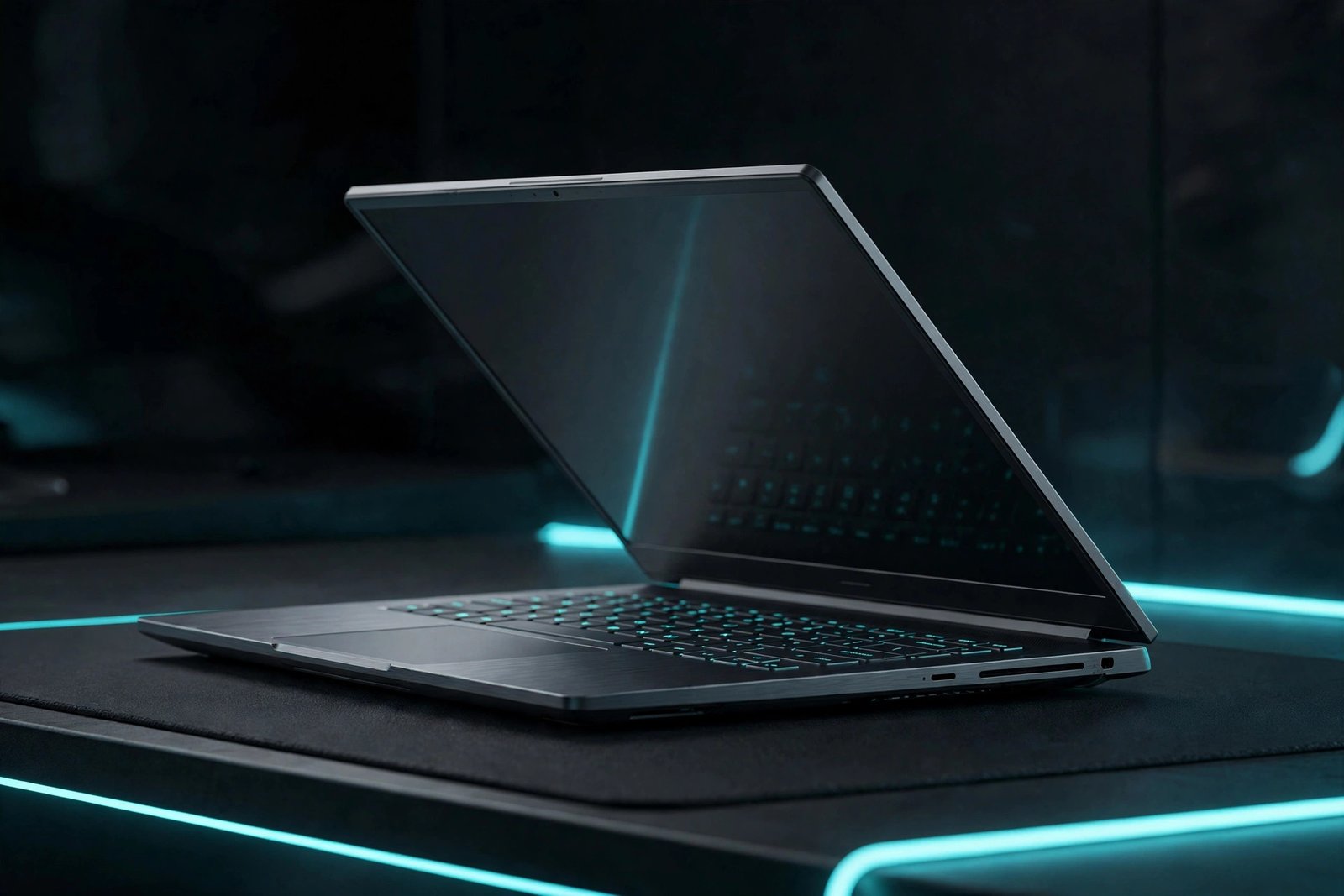
The Zephyrus G14 continues to be the laptop we recommend to people who want gaming power without carrying a gaming laptop. At 1.5 kg with a stunning 14-inch 3K OLED display, it slips into any bag — and then delivers RTX 5060 gaming that embarrasses bulkier machines from two years ago. AMD’s Ryzen AI 9 HX 370 sips power during light work, which is why this is the only gaming laptop here that genuinely lasts 8-10 hours doing office tasks and browsing.
The trade-offs are real: RAM is soldered (so choose 32GB if you can), the 14-inch screen is small for immersive AAA gaming, and you pay a portability premium per frame. But as a do-everything machine, nothing else in 2026 balances this well.
- GPU: NVIDIA RTX 5060 8GB
- CPU: AMD Ryzen AI 9 HX 370
- RAM: 16GB / 32GB LPDDR5X (soldered)
- Storage: 1TB PCIe Gen 4 SSD
- Display: 14″ 3K OLED, 120Hz
- Weight: 1.5 kg (3.3 lbs)
- Battery: 73Wh
Pros:
- 8-10 hours of real battery life in productivity use
- Beautiful 3K OLED display with perfect blacks
- Ultra-portable at 1.5 kg with premium aluminum build
- Excellent speakers for a 14-inch machine
Cons:
- Soldered RAM — configuration is permanent
- Runs warm and loud when fully unleashed
- Expensive per frame versus 16-inch rivals
6. Acer Nitro V 16 — Best for Students
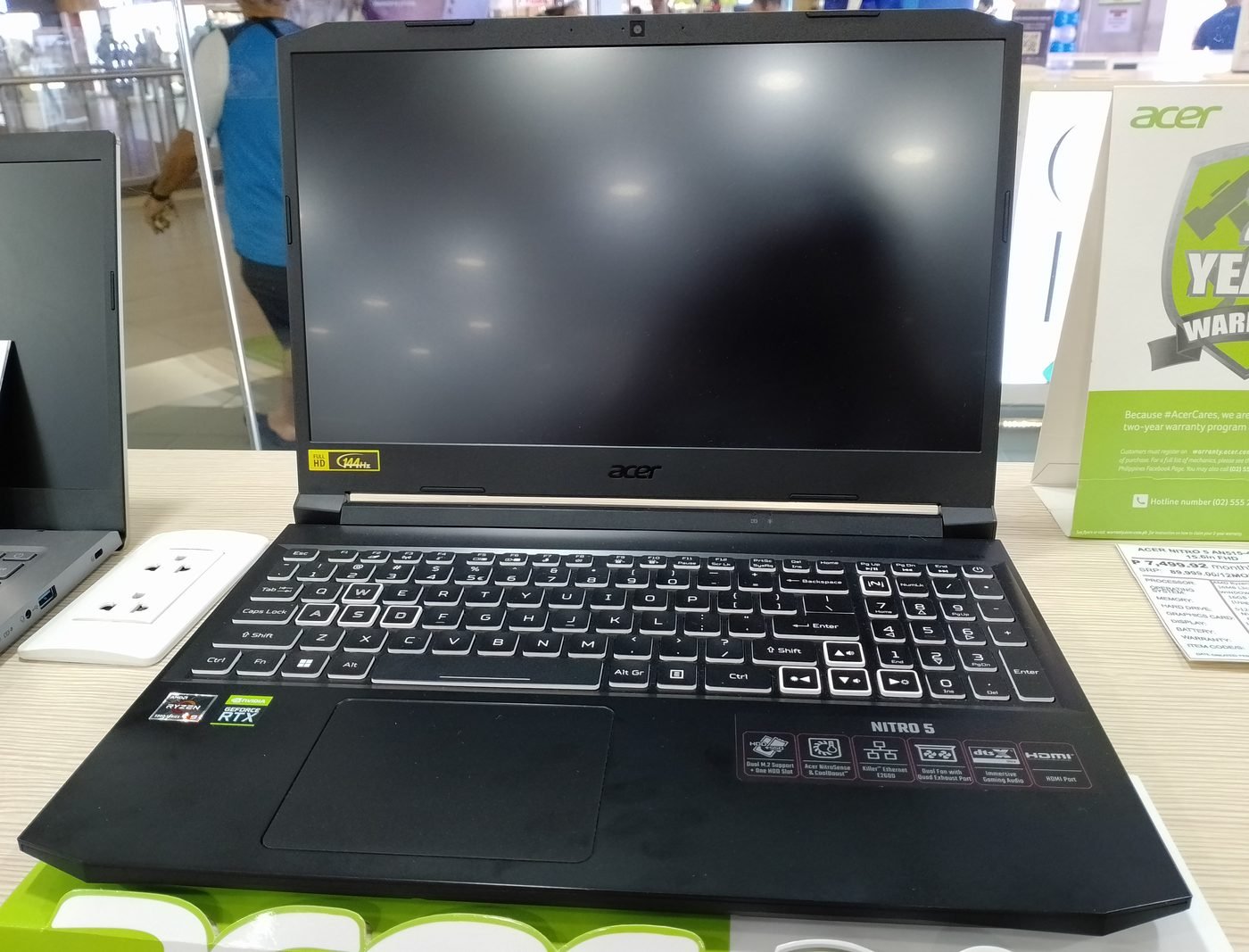
Students need three things: a big screen for multitasking, enough GPU for actual gaming, and a price that doesn’t require a second student loan. The Nitro V 16 delivers all three at around $899. The 16-inch 165Hz display gives you room for side-by-side documents, the RTX 5050 handles 1080p gaming comfortably, and Acer’s pricing is consistently among the lowest for the specs.
It’s unapologetically plastic and the preinstalled software needs a cleanup, but the keyboard is comfortable for long typing sessions and the cooling system — borrowed from the pricier Predator line — keeps things sensible. For dorm-room gaming and classroom work, it’s the value sweet spot.
- GPU: NVIDIA RTX 5050 8GB
- CPU: Intel Core i7-14650HX
- RAM: 16GB DDR5
- Storage: 512GB PCIe Gen 4 SSD
- Display: 16″ WUXGA IPS, 165Hz
- Weight: 2.5 kg (5.5 lbs)
- Battery: 76Wh
Pros:
- Excellent price for a 16-inch 165Hz machine
- Comfortable keyboard for typing-heavy schoolwork
- Decent thermals inherited from Predator designs
- Good port selection including full-size HDMI
Cons:
- All-plastic chassis with noticeable flex
- Display color accuracy is mediocre for creative work
- Comes with bloatware you’ll want to remove
7. MSI Katana 15 — Best for Esports
Competitive players care about two things: high, stable frame rates and a fast display. The Katana 15’s RTX 4060 (still a very capable 1080p esports GPU in 2026, and frequently discounted as retailers clear stock) pushes 200+ fps in titles like Valorant, CS2, and Apex Legends at competitive settings, and the 144Hz panel keeps up. At street prices often under $1,000, it’s one of the cheapest routes to serious esports performance.
The Katana is not a premium experience — the chassis is basic, fans get loud, and the 512GB SSD fills up fast with modern game sizes. But frames win games, and this delivers them cheaply.
- GPU: NVIDIA RTX 4060 8GB
- CPU: Intel Core i7-14650HX
- RAM: 16GB DDR5
- Storage: 512GB PCIe Gen 4 SSD
- Display: 15.6″ FHD IPS, 144Hz
- Weight: 2.25 kg (4.96 lbs)
- Battery: 53.5Wh
Pros:
- Excellent esports frame rates for the price
- Frequently discounted below $1,000
- 4-zone RGB keyboard adds some flair
- Straightforward to open and upgrade
Cons:
- Basic plastic build; hinge feels fragile
- Loud fans under load
- Small 512GB SSD and weak battery
8. HP Omen 16 — Best All-Rounder
The Omen 16 is the laptop for buyers who don’t want to think too hard. Every aspect is good: the RTX 5060 configuration is well-cooled by HP’s Tempest system, the optional QHD 240Hz display is excellent, the keyboard is comfortable, and the design is restrained enough for professional settings. It doesn’t win any single category, but it also has no embarrassing weakness — a rarer achievement than it sounds.
Upgradeability is a genuine plus: two RAM slots and two SSD bays are easily accessible, so this is a machine you can keep relevant for years. At around $1,299 for the 5060 model, it sits right in the heart of the market and justifies its position with consistency.
- GPU: NVIDIA RTX 5060 8GB
- CPU: AMD Ryzen AI 7 350
- RAM: 16GB DDR5 (upgradeable)
- Storage: 1TB PCIe Gen 4 SSD
- Display: 16.1″ QHD IPS, 240Hz (configurable)
- Weight: 2.4 kg (5.3 lbs)
- Battery: 83Wh
Pros:
- No major weaknesses — solid across the board
- Excellent upgradeability with dual RAM/SSD slots
- Good thermal performance with reasonable noise
- Clean, professional design
Cons:
- Heavier than the competition at 2.4 kg
- Omen Gaming Hub software can be intrusive
- Base display configuration is unremarkable — get the QHD panel
9. MSI Raider 18 HX — Best Desktop Replacement
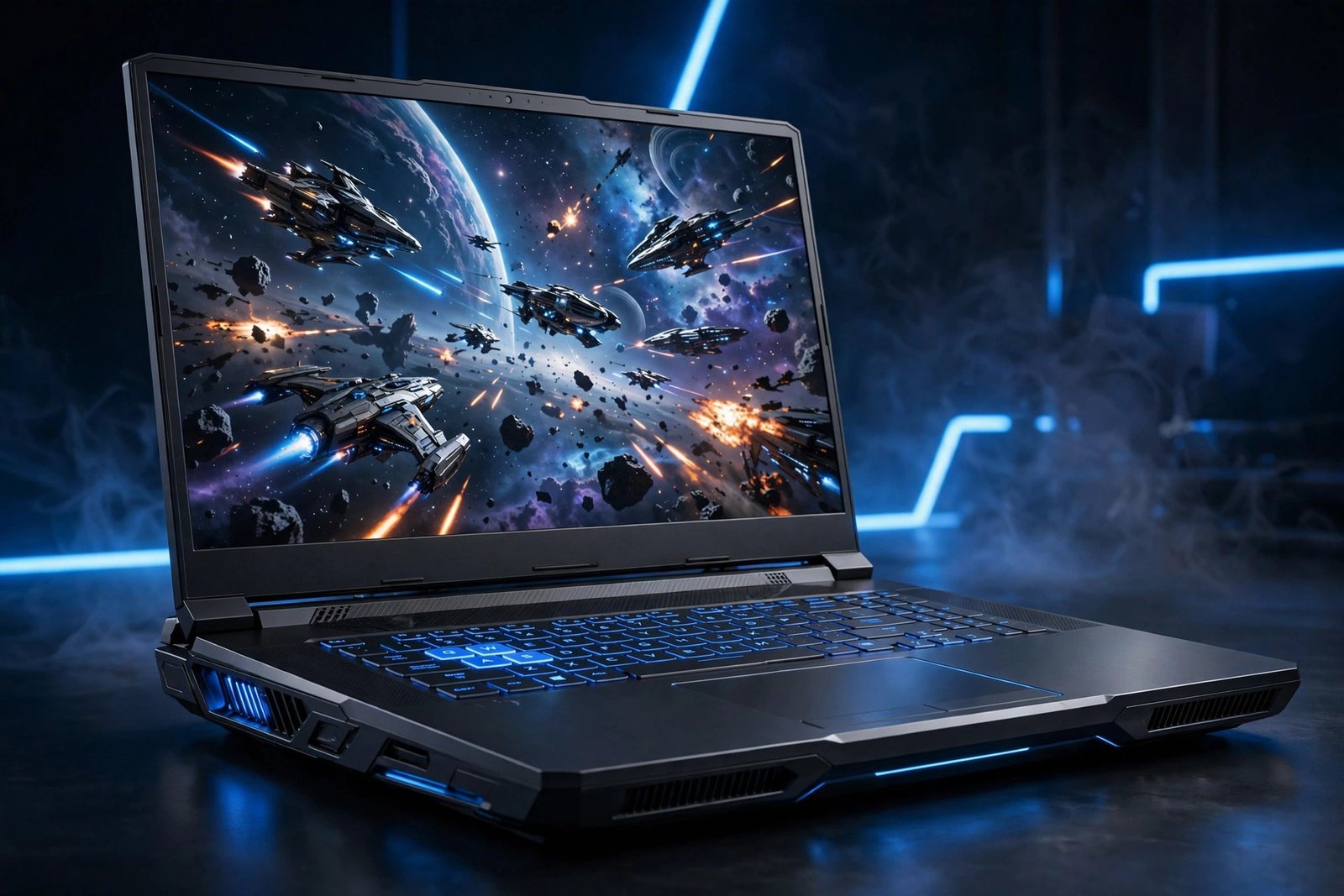
Some people don’t want portability; they want everything. The Raider 18 HX is a 3.6 kg monument to excess: RTX 5080 graphics, Intel’s flagship Core Ultra 9 285HX, an 18-inch 4K Mini-LED display, and an optional Cherry MX mechanical keyboard. In published benchmarks it trades blows with mid-range desktop PCs, and the massive chassis means the cooling system barely breaks a sweat doing it.
This is a niche product and we won’t pretend otherwise. Battery life is measured in tens of minutes while gaming, it needs two power bricks’ worth of consideration when traveling, and the price starts where most laptops end. But if your “laptop” mostly moves between rooms and you want zero-compromise performance, nothing else in 2026 does it better.
- GPU: NVIDIA RTX 5080 16GB
- CPU: Intel Core Ultra 9 285HX
- RAM: 32GB DDR5 (upgradeable)
- Storage: 2TB PCIe Gen 4 SSD
- Display: 18″ 4K Mini-LED, 120Hz
- Weight: 3.6 kg (7.9 lbs)
- Battery: 99.9Wh
Pros:
- Desktop-class performance in a (large) laptop
- Stunning 4K Mini-LED display with HDR
- Exceptional thermals thanks to the huge chassis
- Mechanical keyboard option is a joy to type on
Cons:
- Extremely heavy and barely portable
- Very expensive
- Poor battery life under any real load
What to Look For in a Gaming Laptop (2026)
If you take one lesson from this guide, make it this: GPU wattage matters more than the GPU name. Always check the TGP (total graphics power) in the spec sheet. A 140W RTX 5060 will beat a 95W RTX 5070 in sustained gaming — manufacturers rarely advertise this prominently, which is exactly why it matters.
Beyond that, our short checklist:
- VRAM: 8GB is the minimum in 2026; 12GB or more if you play at 1440p or higher, or want the laptop to last 4+ years.
- CPU: Don’t overthink it. A modern Core Ultra 7/i7 or Ryzen 7/AI 7 is plenty for gaming; the GPU does the heavy lifting. More cores help streamers and creators.
- Display: 144Hz minimum for gaming; 165Hz+ is the sweet spot. At 15-16 inches, 1080p is fine, but QHD (2560×1600) is noticeably sharper and worth it from the $1,200 tier up.
- RAM: 16GB minimum, ideally in dual-channel (2×8GB). Avoid soldered 8GB configurations.
- Storage: 1TB SSD is the practical minimum now — a single AAA game can exceed 150GB.
- Mux switch / Advanced Optimus: Lets the GPU talk directly to the display, worth 5-10% more frames. Most 2026 gaming laptops include it; verify on budget models.
- DLSS 4: Every RTX 50-series card supports Multi Frame Generation, which can double or triple perceived frame rates in supported games. It’s the biggest free performance lunch in 2026.
Further reading: gaming laptop buying guide · every head-to-head comparison · Lenovo Legion 5i (2026) review
Frequently Asked Questions
What is the best gaming laptop in 2026?
For most buyers, the Lenovo Legion 7i Gen 10 is the best gaming laptop of 2026. Its full-power RTX 5070 Ti, excellent OLED display option, and best-in-class keyboard deliver flagship performance without the flagship price premium. Budget buyers should look at the Lenovo LOQ 15, and those wanting the finest build quality should consider the Razer Blade 16.
How much should I spend on a gaming laptop in 2026?
Around $1,000–$1,500 is the sweet spot. At $750–$1,000 you get solid 1080p gaming (RTX 5050/4050 class). At $1,200–$1,500 you step up to 1440p-capable GPUs like the RTX 5060/5070 with better displays. Above $2,000 you're paying for premium materials, OLED screens, and diminishing performance returns.
Is the RTX 5060 enough for 1440p gaming?
Yes, with DLSS 4. The RTX 5060 handles 1440p at high settings in most 2026 titles, typically delivering 70–100+ fps with DLSS Quality mode enabled according to published benchmarks. For maximum settings with ray tracing at 1440p, step up to the RTX 5070 or 5070 Ti.
Is 16GB of RAM enough for gaming in 2026?
Yes, 16GB remains sufficient for gaming, provided it's dual-channel. However, if you stream, run Discord plus Chrome with 40 tabs, or do video editing, 32GB gives meaningful headroom. Avoid any 2026 gaming laptop with only 8GB of soldered RAM.
AMD or Intel for a gaming laptop in 2026?
Both are excellent this generation. AMD's Ryzen AI 300 series generally offers better battery life and efficiency, while Intel's Core Ultra 200HX chips lead in raw multi-core performance for heavy workloads. For pure gaming, pick based on the GPU, price, and battery life — not the CPU brand.
Do I really need DLSS 4?
You don't need it, but it's the defining feature of this GPU generation. In supported games, DLSS 4 Multi Frame Generation can multiply frame rates 2–4x with minimal latency cost. Since every RTX 50-series laptop includes it at no extra cost, there's no reason to buy a 40-series laptop at similar prices in late 2026 unless the discount is steep.
Final Verdict
The Lenovo Legion 7i Gen 10 is our Best Overall pick for 2026 because it gets the fundamentals right: full-power GPU, great screen, excellent keyboard, and fair pricing. The Lenovo LOQ 15 proves you don’t need to spend four figures for enjoyable 1080p gaming, while the Razer Blade 16 remains the premium choice for those who value craftsmanship.
Whatever your budget, prioritize GPU wattage over the model number, insist on 16GB of RAM, and buy the best display you can afford — it’s the part you’ll actually look at every day. Check current prices with the links above, as deals rotate constantly, and pair your choice with our buying guide below to make sure the specs match your games.

admin
Hardware-obsessed reviewer covering gaming laptops, GPUs and the deals worth your money.