

Last updated: October 2026
Affiliate Disclosure: GamingLaptopHome is reader-supported. When you buy through links on this page, we may earn an affiliate commission at no extra cost to you. Read our full disclaimer.
Let’s be straight with each other: the best gaming laptop under 800 dollars is the hardest category on this entire site to cover honestly. Every laptop at this price is a bundle of compromises — the only question is which compromises. Some barely matter (you will survive a dim webcam). Some quietly ruin the experience (single-channel 8GB RAM strangling an otherwise decent GPU).
Most budget roundups won’t tell you that. They’ll list six laptops, call them all “amazing value,” and collect the commission. This guide does the opposite: it tells you exactly what $800 buys in late 2026, which corners are safe to cut, and which six laptops make the smartest trade-offs — based on our analysis of manufacturer specs and benchmark data published by reputable independent reviewers.
The short version: $800 buys genuine 1080p gaming in 2026. Not 1440p, not maxed ray tracing, but smooth 60fps in most AAA titles at medium settings with DLSS — and hundreds of fps in esports titles. That’s a lot of fun per dollar, as long as you buy with your eyes open.
New to laptop shopping? Start with our gaming laptop buying guide — GPUs, CPUs, RAM, displays and cooling explained in plain English.
🛒 Black Friday 2026: Waiting for a deal? See our Black Friday & Cyber Monday deals watchlist — the 10 laptops most likely to drop, with expected sale prices.
How We Picked These Laptops
Same methodology as our other roundups: no lab, no rented benchmark rigs — just careful analysis of manufacturer specifications, thermal designs, and performance data published by reputable independent reviewers. At the budget end, we weighted three things above all: the GPU tier (the single biggest performance lever), whether the RAM can be upgraded to 16GB (the single biggest hidden trap), and real-world thermals (budget laptops live or die by cooling). Prices are typical US street prices as of October 2026.
Quick Comparison: Best Gaming Laptops Under $800
| Laptop | GPU | CPU | Display | RAM / SSD | Typical Price | Best For |
|---|---|---|---|---|---|---|
| Lenovo LOQ 15 | RTX 4050 95W | Intel i5-13450HX | 15.6″ 1080p 144Hz | 8GB / 512GB | ~$749 | Best overall |
| Acer Nitro V 16 | RTX 4050 75W | AMD Ryzen 7 8845HS | 16″ 1080p 165Hz | 16GB / 512GB | ~$799 | Best 16-inch |
| ASUS TUF Gaming A15 | RTX 3050 95W | AMD Ryzen 7 7735HS | 15.6″ 1080p 144Hz | 8GB / 512GB | ~$699 | Most durable |
| HP Victus 15 | RTX 3050 75W | Intel i5-13420H | 15.6″ 1080p 144Hz | 8GB / 512GB | ~$649 | Best for students |
| MSI Thin 15 | RTX 3050 75W | Intel i5-13420H | 15.6″ 1080p 144Hz | 16GB / 512GB | ~$699 | Lightest pick |
| Dell G15 5530 | RTX 3050 95W | Intel i5-13450HX | 15.6″ 1080p 120Hz | 8GB / 512GB | ~$749 | Best when on sale |
What to Realistically Expect Under $800
Before the picks, a reality check — because disappointed buyers are almost always buyers whose expectations were set by someone else’s hype.
The GPU: RTX 3050 is the norm, RTX 4050 the prize. Most sub-$800 laptops ship with the RTX 3050 (6GB). It’s an aging card, but an honest one: 1080p medium settings at 60fps in most AAA games, with DLSS Quality mode doing heavy lifting. The RTX 4050 — found on sale or in clearance configs under $800 — is roughly 20–30% faster and adds DLSS frame generation, which is transformative at this price. It’s the difference between 45fps and 70fps+ in demanding titles. If you can land a 4050 under $800, do it.
The CPU: good enough, and that’s fine. You’ll see last-gen Intel i5 HX/H-series chips and AMD Ryzen 7 7000-series parts. Here’s the secret: at 1080p medium settings, you’re GPU-bound in nearly every game, so the CPU barely matters. Don’t pay extra for an i7 at this price — put the money toward the GPU tier instead.
RAM: the hidden trap. Many $800 laptops ship with 8GB in single-channel configuration, which can cost you 10–20% of your gaming performance versus dual-channel 16GB. The good news: a 16GB DDR5 SODIMM kit costs around $30, and most budget laptops have two accessible slots. The $30 RAM upgrade is the best value in all of budget PC gaming. The one thing to avoid: soldered 8GB with no upgrade path — check before buying.
Storage: 512GB, and it’s tight. A single Call of Duty install can eat a third of it. Check for a second M.2 slot (most of these have one); adding a 1TB drive later for ~$60 is easy and cheap.
Display: fast but dim. Expect 1080p at 120–165Hz — genuinely good for gaming smoothness — but budget panels typically manage only 250–300 nits of brightness and ~45% NTSC color coverage. Fine for games in a normal room, mediocre for photo editing or sunny patios.
Build and cooling: plastic, loud, but usually adequate. These are low-wattage GPUs (75–95W), so thermals are manageable — but fan noise under load is a fact of life, and chassis are plastic with varying degrees of flex.
What you won’t get: 1440p gaming at good framerates, playable ray tracing in most titles (it’s technically supported; it’s just slow), premium materials, or all-day battery life. Expect 3–5 hours of light use, under two hours gaming.
Top Picks: The 6 Best Gaming Laptops Under $800
1. Lenovo LOQ 15 — Best Overall
Typical price: ~$749
The LOQ 15 is the only laptop on this list that regularly puts an RTX 4050 under $800, and that alone makes it the default recommendation. Based on our analysis of published benchmarks, the 4050 is roughly 20–30% faster than the RTX 3050 found in everything else here, and its DLSS frame generation support is the kind of feature that extends a budget laptop’s useful life by a year or more.
Lenovo’s cooling is a genuine cut above typical budget fare — dual fans with rear exhaust that keep the 95W GPU fed without constant throttling — and the chassis feels sturdier than the price suggests. The keyboard is excellent for the class.
The catch: the base configuration ships with 8GB of RAM in single-channel mode, which kneecaps performance until you fix it. Budget an extra ~$30 for a 16GB kit (two SODIMM slots, easily accessible) and this becomes a far better machine than anything else under $800. The display is the usual budget 1080p 144Hz panel — fast, but dim at around 300 nits.
Specs: RTX 4050 95W · Intel i5-13450HX · 15.6″ 1080p 144Hz · 8GB DDR5 (upgradeable) · 512GB SSD · 2.38kg
Pros:
- RTX 4050 under $800 — the fastest GPU in this price class
- DLSS frame generation extends its lifespan
- Good cooling and sturdy build; easy RAM upgrade
Cons:
- 8GB single-channel RAM needs a $30 upgrade out of the box
- Dim display with narrow color gamut
- 512GB storage fills fast
2. Acer Nitro V 16 — Best 16-Inch Option
Typical price: ~$799
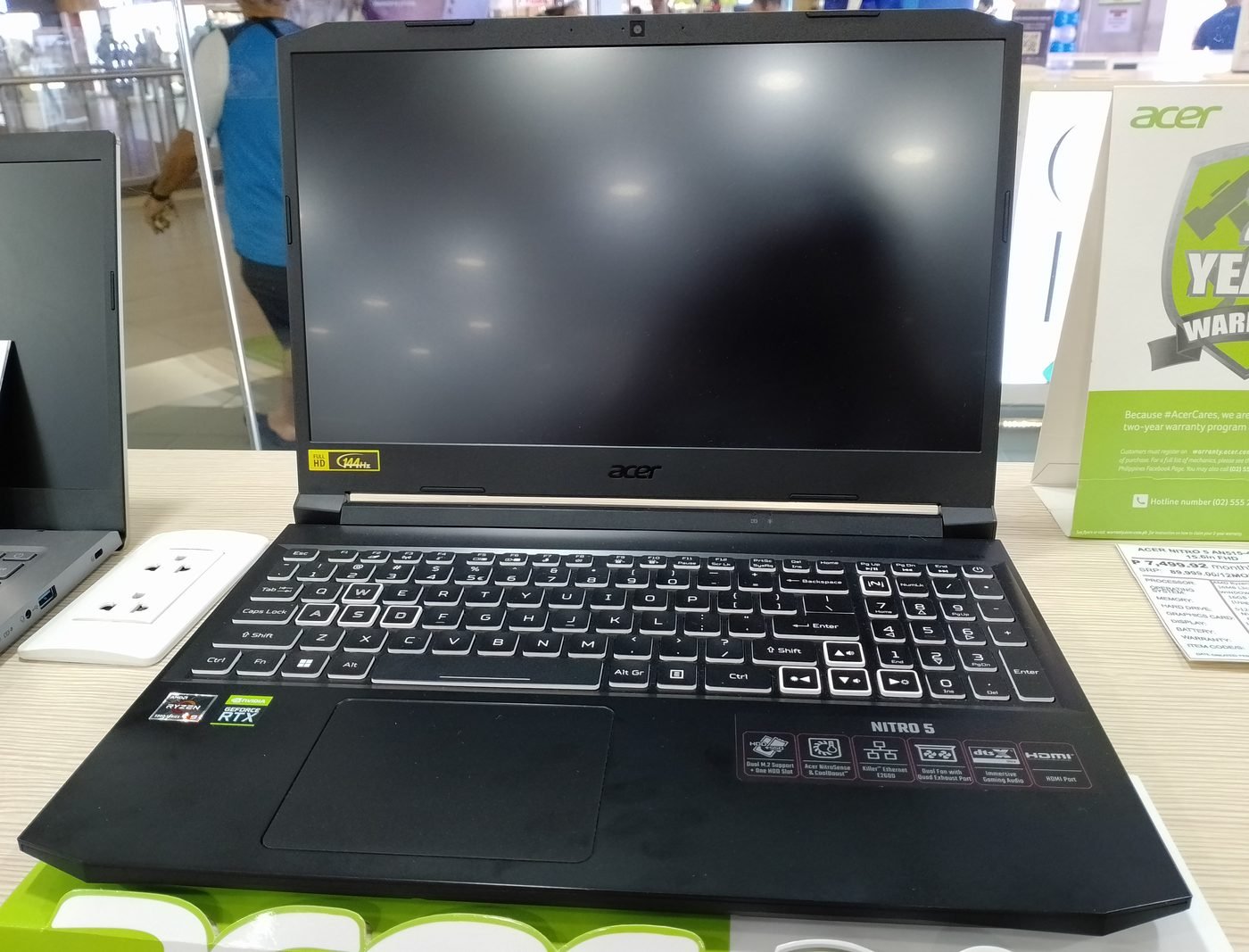
Want more screen? The Nitro V 16 pairs the RTX 4050 with a 16-inch 165Hz display and AMD’s efficient Ryzen 7 8845HS — a modern, capable chip that sips power on battery and stays cool. Several configurations ship with 16GB of RAM standard, neatly sidestepping the single-channel trap that catches the LOQ.
In published benchmark comparisons, its 75W GPU configuration trails the LOQ’s 95W 4050 by a small but real margin (wattage matters at every price tier, not just the premium ones). But the larger display and newer platform make it the better pick if you’ll use the laptop for school or work as much as gaming.
Downsides: it’s heavy at over 2.5kg, battery life is poor, and Acer’s preinstalled software deserves an uninstall spree on day one.
Specs: RTX 4050 75W · AMD Ryzen 7 8845HS · 16″ 1080p 165Hz · 16GB DDR5 · 512GB SSD · 2.6kg
Pros:
- 16-inch display with 16GB RAM in most configs
- Modern, efficient AMD platform
- Good keyboard and solid thermals
Cons:
- Lower-wattage GPU trails the LOQ slightly
- Heavy; weak battery life
- Bloatware needs cleanup
3. ASUS TUF Gaming A15 — Most Durable
Typical price: ~$699
The TUF A15 is the tank of the budget class: MIL-STD-810H tested against drops, vibration, and humidity, with the best thermals you’ll find under $700. If this laptop is going into a backpack every day for four years of school, this is the one most likely to survive the trip.
The RTX 3050 (6GB) is aging but honest — 1080p medium at 60fps in most titles with DLSS. The Ryzen 7 7735HS is efficient and more than enough for GPU-bound gaming. ASUS’s cooling design means it sustains its clocks without the thermal throttling that plagues thinner budget machines.
The compromise is the display: at around 250 nits, it’s the dimmest panel on this list. Fine indoors, hopeless in bright sunlight. It’s also chunky by modern standards.
Specs: RTX 3050 95W · AMD Ryzen 7 7735HS · 15.6″ 1080p 144Hz · 8GB DDR5 (upgradeable) · 512GB SSD · 2.3kg
Pros:
- Military-grade durability testing
- Excellent thermals; sustains clocks well
- Full-power 95W RTX 3050
Cons:
- Dimmest display on this list
- Aging GPU; 8GB RAM needs upgrading
- Chunky chassis
4. HP Victus 15 — Best for Students
Typical price: ~$649
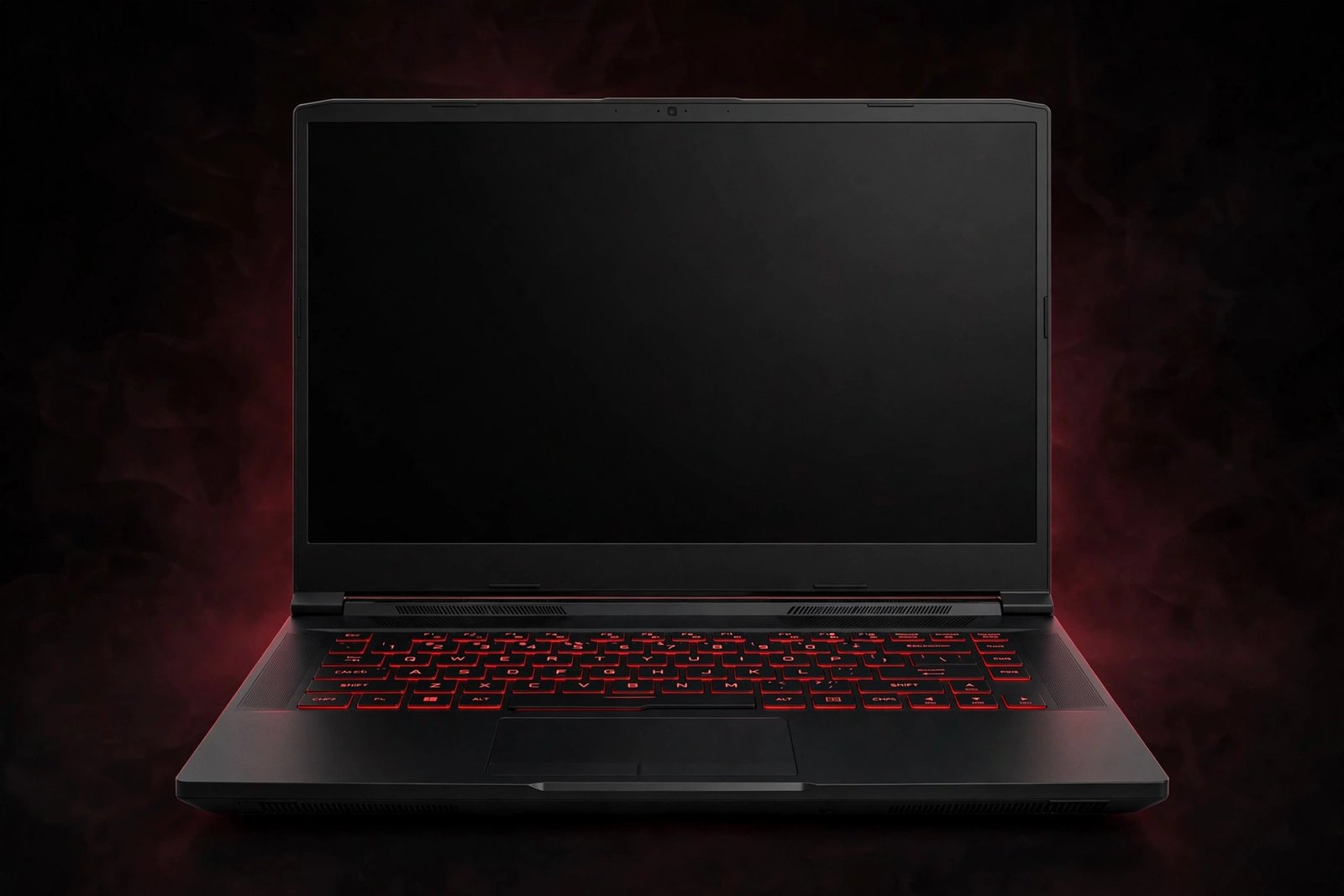
The cheapest entry point to genuine PC gaming on this list. The Victus 15’s trump card isn’t raw performance — it’s discretion. This looks like a normal laptop: clean lines, no aggressive angles, no RGB screaming for attention. In a lecture hall or library, it blends in.
Performance is exactly what the price promises: an RTX 3050 and i5 that handle 1080p medium gaming and breeze through schoolwork. HP discounts this model aggressively, so patience is rewarded — it’s frequently the best deal in the entire budget segment during sales.
Compromises are visible if you look: some chassis flex in the lid, single-channel 8GB RAM (upgrade it), and mediocre speakers. But at $649, you’re paying for the parts that matter and skipping the parts that don’t.
Specs: RTX 3050 75W · Intel i5-13420H · 15.6″ 1080p 144Hz · 8GB DDR5 (upgradeable) · 512GB SSD · 2.29kg
Pros:
- Lowest price for real gaming performance
- Understated design suits classrooms and offices
- Frequently discounted
Cons:
- Noticeable chassis flex
- Single-channel RAM needs upgrading
- Weak speakers; dim display
5. MSI Thin 15 — Lightest Budget Pick
Typical price: ~$699
Most budget gaming laptops are 2.3kg bricks. The Thin 15 is under 1.9kg — light enough to actually carry daily without dreading it. Slim bezels, a decent keyboard, and several configurations that include 16GB of RAM standard make it the commuter’s budget pick.
The trade-off for thinness is thermals: the 75W RTX 3050 runs warmer here than in thicker rivals, and the fans work harder to keep up. Published thermal data shows higher surface temperatures under sustained loads — not dangerous, but noticeable on a lap. The speakers are also weak, even by budget standards.
Choose this if portability matters more than squeezing out the last 5% of performance. Choose the LOQ if it doesn’t.
Specs: RTX 3050 75W · Intel i5-13420H · 15.6″ 1080p 144Hz · 16GB DDR5 · 512GB SSD · 1.86kg
Pros:
- Genuinely portable at under 1.9kg
- 16GB RAM in most configurations
- Slim, modern design
Cons:
- Runs warmer than thicker rivals
- Weak speakers
- RTX 3050 only — no 4050 option at this price
6. Dell G15 5530 — Best When on Sale
Typical price: ~$749 street (frequently discounted)
The G15 5530 has Alienware-influenced thermal design and one of the better budget keyboards, with a full-power 95W RTX 3050. At its frequent sale prices, it’s a solid, no-surprises gaming laptop from a brand with decent support.
The key phrase is “sale prices.” At full MSRP, the LOQ 15 beats it on GPU tier for similar money. The G15 also carries the oldest design language here — thick bezels, heavy chassis (2.8kg), and poor battery life even by gaming-laptop standards.
Buy it when discounted to $750 or below and it’s a genuinely good deal. Above that, look at the LOQ or Nitro V instead.
Specs: RTX 3050 95W · Intel i5-13450HX · 15.6″ 1080p 120Hz · 8GB DDR5 (upgradeable) · 512GB SSD · 2.81kg
Pros:
- Good thermals and keyboard
- Full-power 95W GPU
- Deep, frequent discounts
Cons:
- Heavy and dated design
- Only worth it on sale
- Poor battery life; 120Hz panel (slower than rivals’ 144Hz)
Where to Save vs Where NOT to Skimp
At $800, every dollar has a job. Here’s how to allocate them:
Safe to save on:
- RGB lighting and design flair. It doesn’t add a single frame. The plainest laptop here (Victus) games just as well as the flashiest.
- Storage capacity. Don’t pay $100 extra for a 1TB config when a quality 1TB Gen4 drive costs ~$60 and takes ten minutes to install. Just confirm the laptop has a second M.2 slot first.
- The CPU tier. An i5 vs i7 (or Ryzen 5 vs 7) makes almost no difference when you’re GPU-bound at 1080p medium. Take the cheaper CPU with the better GPU every time.
- Windows Pro. You don’t need it for gaming. Home is fine.
Do NOT skimp on:
- The GPU tier. This is the entire ballgame. An RTX 4050 over an RTX 3050 is worth $50–100 without hesitation — it’s a 20–30% performance jump plus frame generation. No other upgrade comes close.
- The RAM situation. Either buy a 16GB configuration or confirm two accessible SODIMM slots and budget $30 for the upgrade. Soldered single-channel 8GB with no upgrade path is the one true dealbreaker at this price.
- Refresh rate. 144Hz (or 120Hz minimum) is non-negotiable for a gaming laptop in 2026. A 60Hz panel on a “gaming” laptop is a red flag that the manufacturer cut the wrong corner.
- Thermals. A laptop that throttles is a laptop that lies about its specs. Check published reviews for sustained-clock data, especially on thin models.
The $30 rule: if your $750 laptop has 8GB of single-channel RAM and an empty slot, the highest-ROI upgrade in all of PC gaming is a 16GB DDR5 SODIMM kit. It takes five minutes, one screwdriver, and zero expertise — and it can unlock 10–20% more performance in CPU-heavy scenes.
Further reading: gaming laptop buying guide · best gaming laptops under $1,000 · every head-to-head comparison
Frequently Asked Questions
Can you actually game on a sub-$800 laptop in 2026?
Yes — at 1080p, with realistic settings. Expect 60fps at medium settings in most AAA titles (with DLSS enabled), and hundreds of fps in esports titles like Valorant, CS2, and Fortnite. What you won't get is 1440p gaming, maxed-out ray tracing, or ultra settings in the heaviest new releases. For the vast majority of players, that's plenty.
RTX 3050 vs RTX 4050 — how big is the difference?
Bigger than the model numbers suggest. Based on our analysis of published benchmarks, the RTX 4050 is roughly 20–30% faster than the 6GB RTX 3050 at the same wattage — and it supports DLSS frame generation, which the 3050 lacks. Frame generation alone can nearly double perceived smoothness in supported titles. If a 4050 laptop costs within $100 of a 3050 equivalent, the 4050 wins every time.
Is 8GB of RAM enough for gaming in 2026?
Technically yes, practically no. 8GB runs games, but single-channel 8GB (the common budget configuration) measurably reduces performance, and background tasks — Discord, a browser, Windows itself — eat into it fast. 16GB in dual-channel is the real minimum for a good experience. The good news: it's a $30 self-upgrade on most of these laptops.
Should I buy a refurbished or previous-generation laptop to get more GPU?
Sometimes — carefully. Manufacturer-refurbished laptops (Dell Outlet, Lenovo Outlet) with a proper warranty can put an RTX 4060 near $800, which is excellent value. The rules: buy refurbished only from the manufacturer or an authorized seller, only with at least a one-year warranty, and check the battery health policy. Avoid no-warranty used laptops unless you know exactly what you're doing — a worn-out battery or abused cooling system erases the savings fast.
Will these laptops run Fortnite, Call of Duty, and GTA VI?
Fortnite, Valorant, CS2, Apex Legends, and similar titles run beautifully — typically 120fps+ at competitive settings. Call of Duty runs well at medium settings with DLSS. As for the most demanding upcoming AAA releases: expect medium settings at 60fps with upscaling, and keep expectations modest for ray tracing. Budget laptops are about smart settings, not maxed sliders.
How long will an $800 gaming laptop last?
Three to four years of solid 1080p gaming is realistic, with settings gradually lowered over time. DLSS and frame generation significantly extend useful life — a 4050 laptop bought today will age better than a 3050 one. The usual failure points aren't performance but batteries (expect reduced capacity after 2–3 years) and storage (512GB gets cramped fast). Both are manageable.
Final Verdict
The Lenovo LOQ 15 is the best gaming laptop under $800 for most buyers — it’s the cheapest path to an RTX 4050, with good cooling and an easy RAM upgrade that unlocks its full potential. Add the $30 memory kit and there’s no better value in budget gaming.
If you need the bigger screen, the Acer Nitro V 16 justifies its $799 ceiling with 16GB of RAM standard and a modern AMD platform. And if every dollar counts, the HP Victus 15 at ~$649 is proof that real PC gaming doesn’t require four figures.
One last piece of honest advice: if you can stretch to $850–900, the market changes meaningfully — RTX 4050 laptops with 16GB of RAM included become common, and you skip the upgrade homework entirely. But if $800 is the hard ceiling, buy the LOQ, upgrade the RAM, and go enjoy your games.

admin
Hardware-obsessed reviewer covering gaming laptops, GPUs and the deals worth your money.