

As an Amazon Associate we earn from qualifying purchases.
Last updated: October 2026
If the sub-$1,000 tier is about getting in the door, the best gaming laptop under $1500 is about walking through it confidently. This is the sweet spot of the entire gaming laptop market in 2026: RTX 5060 and RTX 5070 graphics, QHD displays running at 165Hz or faster, 16GB+ of RAM as standard, and build quality that stops feeling like a compromise.
At this price, you’re buying genuine 1440p gaming capability. With DLSS 4, an RTX 5060 handles QHD high settings at 80–100+ fps in modern AAA titles, while the RTX 5070 pushes into high-refresh 1440p territory that satisfies even demanding players. You also start seeing OLED options, better keyboards, aluminum chassis, and cooling systems that don’t sound like jet engines.
As always: we don’t operate a hardware lab, so performance figures below are typical results based on manufacturer specifications and benchmarks published by reputable reviewers. Our job is matching the right machine to your needs — honestly, including the flaws.
New to laptop shopping? Start with our gaming laptop buying guide — GPUs, CPUs, RAM, displays and cooling explained in plain English.
🛒 Black Friday 2026: Waiting for a deal? See our Black Friday & Cyber Monday deals watchlist — the 10 laptops most likely to drop, with expected sale prices.
Quick Comparison
| Laptop | GPU | CPU | Display | Price | Best For |
|---|---|---|---|---|---|
| Lenovo Legion 5i Gen 10 | RTX 5060 8GB | Intel Core Ultra 7 255HX | 15.1″ WQXGA 165Hz OLED | $1,299 | Best Overall |
| ASUS ROG Strix G16 | RTX 5070 8GB | Intel Core Ultra 9 275HX | 16″ QHD+ 240Hz | $1,499 | Best Performance |
| Acer Predator Helios Neo 16 | RTX 5070 8GB | Intel Core Ultra 7 255HX | 16″ WQXGA 165Hz | $1,399 | Best Value |
| HP Omen 16 | RTX 5060 8GB | AMD Ryzen AI 7 350 | 16.1″ QHD 240Hz | $1,249 | Best All-Rounder |
| Dell G16 7630 | RTX 5070 8GB | Intel Core i9-13900HX | 16″ QHD+ 240Hz | $1,449 | Best Display |
| ASUS ROG Zephyrus G14 | RTX 5060 8GB | AMD Ryzen AI 9 HX 370 | 14″ 3K OLED 120Hz | $1,499 | Best Portable |
| MSI Stealth 16 Studio | RTX 5060 8GB | Intel Core Ultra 7 155H | 16″ QHD+ 240Hz | $1,399 | Best for Creators |
What $1,500 Gets You in 2026
This tier is where gaming laptops stop making you choose between performance and polish. Here’s the honest breakdown:
Performance: RTX 5060 to RTX 5070 graphics. In practical terms: 100+ fps at 1440p high settings in AAA games with DLSS, 200+ fps in esports titles, and usable ray tracing without frame-generation crutches (though DLSS 4 makes everything smoother). The 5070 is roughly 20–25% faster than the 5060 in rasterization — meaningful, but only worth $200 if you’ll actually use the headroom.
Displays: QHD (2560×1600) at 165Hz is the standard here, with 240Hz options common. Several picks offer OLED. This is the single biggest quality-of-life jump over the sub-$1,000 tier — once you’ve gamed on a good QHD high-refresh panel, 1080p feels like a compromise.
Build and features: Expect aluminum lids or full metal chassis, per-key or 4-zone RGB, good port selections with USB4/Thunderbolt on Intel models, Wi-Fi 7, and mux switches as standard. 16GB RAM is the floor; several configs offer 32GB.
What you still don’t get: RTX 5070 Ti / 5080 performance (that’s the $1,800+ tier), 4K displays worth having, or truly all-day battery life while gaming. Also — weight. Most of these are 2.2–2.6 kg; thin-and-light costs extra.
The 5060 vs 5070 decision is the core question of this price range, and we answer it in detail below. Short version: 5060 for 1080p/1440p high settings on a budget, 5070 if you want 1440p ultra with headroom to spare.
The 7 Best Gaming Laptops Under $1500
1. Lenovo Legion 5i Gen 10 — Best Overall
The Legion 5i is the mainstream Legion experience distilled: full-power RTX 5060 graphics (up to 130W, which is what separates it from thinner pretenders), Intel’s Core Ultra 7 255HX, and — the headline act — a 15.1-inch WQXGA OLED display at 165Hz. OLED at $1,299 was unthinkable two years ago, and it transforms everything from games to movies to plain desktop use.
Lenovo’s Coldfront cooling keeps the machine quieter than most rivals under load, the keyboard remains the best you’ll find outside ThinkPads, and Legion’s software is refreshingly restrained. This is the laptop we recommend when someone says “just tell me what to buy.”
- GPU: NVIDIA RTX 5060 8GB (130W TGP)
- CPU: Intel Core Ultra 7 255HX
- RAM: 16GB DDR5 (upgradeable)
- Storage: 1TB PCIe Gen 4 SSD
- Display: 15.1″ WQXGA OLED, 165Hz
- Weight: 2.3 kg (5.07 lbs)
- Battery: 80Wh
Pros:
- OLED display at $1,299 is a genuine breakthrough
- Full-power 130W RTX 5060 — no wattage compromises
- Excellent keyboard and sensible software
- Quieter than most competitors under load
Cons:
- 16GB RAM is fine but 32GB would future-proof better
- No Thunderbolt on some configs — check the spec sheet
- 2.3 kg; portable but not light
- OLED means burn-in care for static desktop use
→ Read our in-depth Lenovo Legion 5i (2026) review
2. ASUS ROG Strix G16 — Best Performance
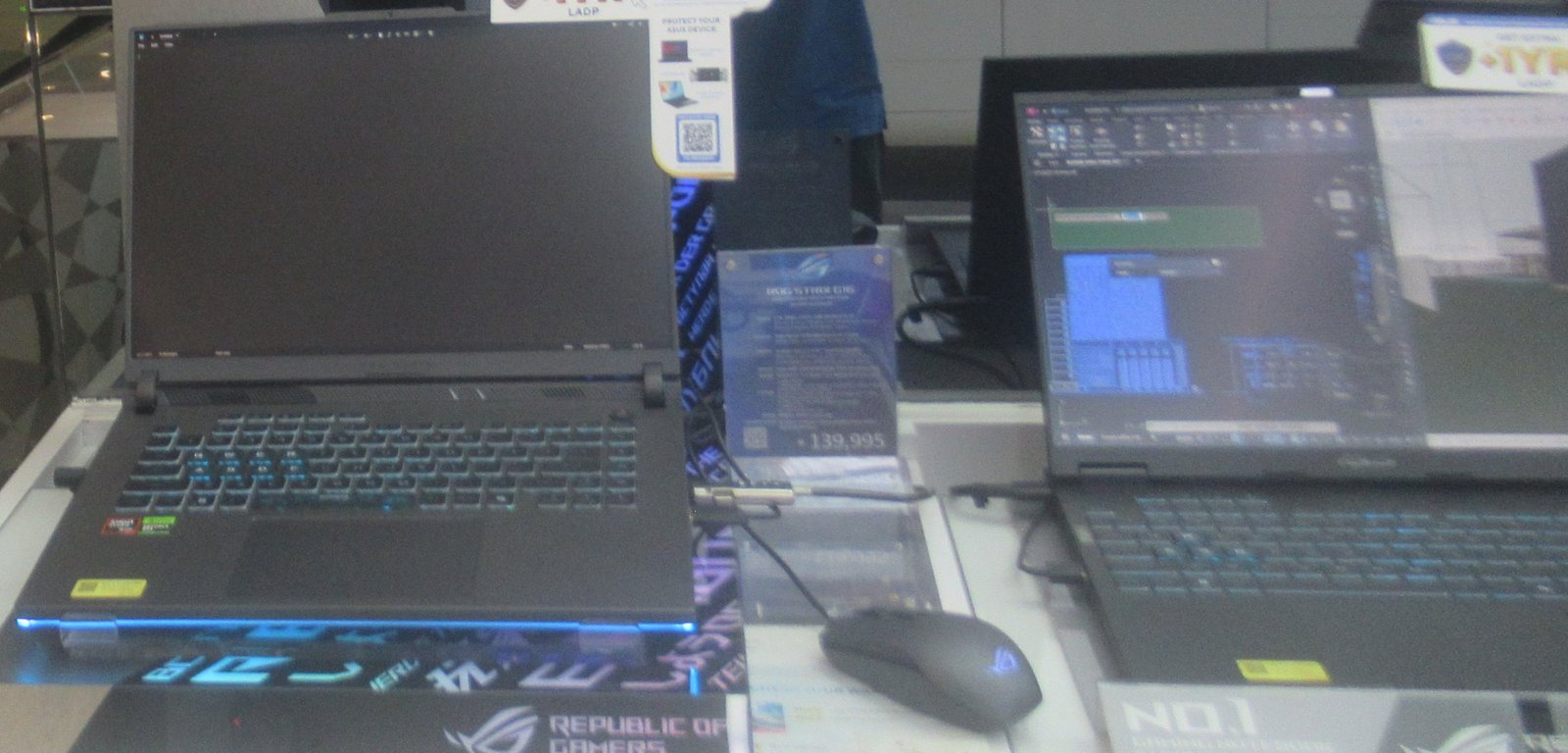
When raw frames are the priority, the Strix G16’s RTX 5070 is the fastest GPU in this guide. ASUS feeds it up to 140W and pairs it with the Core Ultra 9 275HX, a combination that in published benchmarks delivers 15–25% more than RTX 5060 machines at 1440p. The 16-inch QHD+ 240Hz display (Nebula Display certified, 500 nits, 100% DCI-P3) is arguably the best LCD panel you’ll find under $1,500.
The Strix aesthetic is unapologetically gamer — bold lines, RGB light bar, ROG branding everywhere. If you want subtle, look elsewhere. Thermals are excellent thanks to the tri-fan design, though the machine is chunky at 2.7 kg. For competitive and AAA gaming alike, this is the performance ceiling of the price bracket.
- GPU: NVIDIA RTX 5070 8GB (140W TGP)
- CPU: Intel Core Ultra 9 275HX
- RAM: 16GB DDR5 (upgradeable)
- Storage: 1TB PCIe Gen 4 SSD
- Display: 16″ QHD+ IPS, 240Hz, 500 nits
- Weight: 2.7 kg (5.95 lbs)
- Battery: 90Wh
Pros:
- Fastest gaming performance under $1,500
- Superb 240Hz QHD+ display with great color
- Excellent tri-fan cooling; sustains boost clocks
- Per-key RGB and premium ROG build touches
Cons:
- Heavy and bulky at 2.7 kg
- Gamer aesthetic won’t suit professional settings
- At $1,499 it’s the absolute ceiling of this budget
- Battery life is poor when the dGPU is active
→ Read our in-depth ASUS ROG Strix G16 (2026) review
3. Acer Predator Helios Neo 16 — Best Value
The Helios Neo 16 is Acer’s answer to a simple question: what if the RTX 5070 didn’t cost $1,500? At $1,399 street price, it undercuts every other 5070 laptop here while giving up surprisingly little — the GPU still gets a healthy power budget, the 16-inch WQXGA 165Hz display is solid, and Predator’s cooling (5th-gen AeroBlade fans) is genuinely effective.
Where the savings show: the chassis is mostly plastic, the keyboard is good but not Legion-class, and Acer’s preinstalled software needs pruning. None of that affects frame rates. If your budget is strict $1,400 and you want maximum GPU, this is the rational choice — you’re getting 95% of the Strix G16’s gaming performance for $100 less.
- GPU: NVIDIA RTX 5070 8GB (120W TGP)
- CPU: Intel Core Ultra 7 255HX
- RAM: 16GB DDR5 (upgradeable)
- Storage: 1TB PCIe Gen 4 SSD
- Display: 16″ WQXGA IPS, 165Hz
- Weight: 2.6 kg (5.73 lbs)
- Battery: 90Wh
Pros:
- Cheapest RTX 5070 laptop worth buying
- Strong cooling for the price class
- Good port selection including Thunderbolt 4
- 165Hz WQXGA display is sharp and smooth
Cons:
- Plastic chassis feels a step below rivals
- Bloatware requires cleanup
- Slightly lower GPU wattage than the Strix G16
- Speakers are mediocre
4. HP Omen 16 — Best All-Rounder
Not everyone wants to optimize every spec — some people just want a laptop that does everything well without drama. The Omen 16 is that laptop. The RTX 5060 configuration is well-balanced, HP’s Tempest cooling keeps noise reasonable, and the optional QHD 240Hz display is excellent. The design is restrained enough for the office, the keyboard is comfortable for long typing sessions, and upgradeability (dual RAM slots, dual SSD bays) means it ages gracefully.
At $1,249 it’s also one of the more affordable entries here, leaving budget for a good mouse, headset, or an extra SSD. The Omen won’t win benchmark charts against the 5070 machines, but for 1440p high-settings gaming with DLSS, the 5060 is already more than enough — and the overall package is the most well-rounded in this guide.
- GPU: NVIDIA RTX 5060 8GB (120W TGP)
- CPU: AMD Ryzen AI 7 350
- RAM: 16GB DDR5 (upgradeable)
- Storage: 1TB PCIe Gen 4 SSD
- Display: 16.1″ QHD IPS, 240Hz (configurable)
- Weight: 2.4 kg (5.3 lbs)
- Battery: 83Wh
Pros:
- Balanced package with no real weaknesses
- Excellent upgradeability — dual RAM and SSD slots
- Professional, understated design
- Good price at $1,249 for the specs
Cons:
- RTX 5060, not 5070 — 20% slower than the top picks
- Base FHD display config isn’t worth it; get QHD
- Omen Gaming Hub software is intrusive
- Average battery life
5. Dell G16 7630 — Best Display
Dell’s G16 pairs an RTX 5070 with one of the finest 16-inch panels in the business: QHD+ (2560×1600), 240Hz, 100% sRGB, and excellent factory calibration. For gamers who also do photo editing, design work, or simply appreciate a great screen, this display alone justifies the $1,449 price. The i9-13900HX is last-gen but still a 24-core monster that won’t bottleneck anything.
Dell’s build quality is a step above the plastic competition — the aluminum-clad chassis feels solid, the thermals are well-managed, and Dell’s support network is the best in the business if anything goes wrong. The trade-offs are weight (2.72 kg), a design that’s functional rather than exciting, and a CPU generation behind the latest — irrelevant for gaming, slightly relevant for battery efficiency.
- GPU: NVIDIA RTX 5070 8GB (140W TGP)
- CPU: Intel Core i9-13900HX
- RAM: 16GB DDR5 (upgradeable)
- Storage: 1TB PCIe Gen 4 SSD
- Display: 16″ QHD+ IPS, 240Hz, 100% sRGB
- Weight: 2.72 kg (6 lbs)
- Battery: 86Wh
Pros:
- Outstanding color-accurate 240Hz display
- Full-power 140W RTX 5070
- Solid aluminum-accented build quality
- Best-in-class warranty and support options
Cons:
- Last-gen CPU (still overkill for gaming, though)
- Heavy at 2.72 kg
- Plain, corporate design
- Premium pricing — buy on sale
6. ASUS ROG Zephyrus G14 — Best Portable
The G14 is proof that you don’t need a 16-inch brick for serious gaming. At 1.5 kg with a 14-inch 3K OLED display, it’s the only laptop here that disappears into a backpack — yet its RTX 5060 and Ryzen AI 9 HX 370 deliver genuine 1440p gaming. The OLED panel is the best-looking screen in this entire guide, full stop: perfect blacks, infinite contrast, and 120Hz smoothness.
Portability has costs. The RAM is soldered (choose 32GB if your budget stretches), the compact chassis runs warm and loud when fully unleashed, and you’re paying roughly $200 extra versus equally fast 16-inch machines. But as a daily-carry laptop that happens to game brilliantly, nothing else under $1,500 comes close — and 8–10 hours of productivity battery life seals the deal.
- GPU: NVIDIA RTX 5060 8GB (100W TGP)
- CPU: AMD Ryzen AI 9 HX 370
- RAM: 16GB LPDDR5X (soldered)
- Storage: 1TB PCIe Gen 4 SSD
- Display: 14″ 3K OLED, 120Hz
- Weight: 1.5 kg (3.3 lbs)
- Battery: 73Wh
Pros:
- Ultra-portable at 1.5 kg with premium build
- Best display in the price range (3K OLED)
- 8–10 hour battery life for productivity
- Surprisingly capable gaming for the size
Cons:
- Soldered RAM — buy the config you’ll keep
- Lower-wattage GPU than 16-inch rivals
- Runs hot and loud under full load
- 14-inch screen is small for immersive AAA gaming
7. MSI Stealth 16 Studio — Best for Creators
Gaming laptops make excellent creator machines — powerful GPUs accelerate video rendering, 3D work, and photo editing — but most look like they belong at a LAN party. The Stealth 16 Studio bridges the gap: RTX 5060 graphics and a color-accurate QHD+ 240Hz display (100% DCI-P3) in a slim 1.99 kg magnesium-alloy chassis that wouldn’t look out of place in a design studio.
NVIDIA’s Studio drivers are certified for creative apps, and the 5060’s NVENC encoder and CUDA cores meaningfully accelerate Premiere Pro, DaVinci Resolve, and Blender versus integrated graphics. It’s also a perfectly good gaming laptop on evenings and weekends. The compromise is thermals — the slim chassis can’t sustain the clocks of thicker rivals, so pure gamers get slightly less performance per dollar. For hybrid creator-gamers, though, it’s the smartest pick here.
- GPU: NVIDIA RTX 5060 8GB (105W TGP)
- CPU: Intel Core Ultra 7 155H
- RAM: 32GB DDR5
- Storage: 1TB PCIe Gen 4 SSD
- Display: 16″ QHD+ IPS, 240Hz, 100% DCI-P3
- Weight: 1.99 kg (4.39 lbs)
- Battery: 99.9Wh
Pros:
- 32GB RAM standard — rare at this price
- Color-accurate display ideal for creative work
- Slim, professional magnesium chassis
- NVIDIA Studio drivers for creative apps
Cons:
- Slim chassis limits sustained GPU clocks
- Last-gen CPU (fine for most creative work)
- Expensive for pure gaming value
- Speakers are average
RTX 5060 vs RTX 5070: Which Should You Choose?
This is the defining question of the $1,200–$1,500 range. Here’s our honest breakdown:
Performance: The RTX 5070 is roughly 20–25% faster in rasterization and carries the same 8GB of VRAM. In practical terms, that’s the difference between 85 fps and 105 fps at 1440p ultra in demanding titles (typical published figures with DLSS Quality). Both handle 1440p high settings comfortably; the 5070 adds headroom for ultra settings and ray tracing.
Wattage matters more than the badge. A 130W RTX 5060 (like the Legion 5i’s) will match or beat a 100W RTX 5070 in sustained loads. Always compare TGP alongside the model name — the picks above list both for exactly this reason.
Price logic: If the 5070 laptop costs $150–200 more than a comparable 5060 machine, it’s worth it for 1440p ultra gaming and an extra year or two of relevance. Beyond a $250 gap, the 5060 wins on value — put the savings toward games, peripherals, or a future upgrade.
VRAM caveat: Both cards have 8GB, which is adequate for 1440p in 2026 but worth watching. If you keep laptops for 5+ years or play heavily modded games, consider stretching to a 12GB RTX 5070 Ti machine instead.
QHD 165Hz+ Displays: What Actually Matters
Every laptop in this guide has a high-refresh QHD-class display, but they’re not equal. Here’s what to look at:
- Panel type: OLED (Legion 5i, Zephyrus G14) offers perfect blacks and instant response — the best gaming image quality, period. High-quality IPS (Strix G16, Dell G16) counters with higher brightness and no burn-in risk. Both are excellent; OLED wins for immersion, IPS for brightness and peace of mind.
- Refresh rate: 165Hz is plenty; 240Hz is nicer for esports but diminishing returns beyond that. Don’t pay extra to jump from 240Hz to 360Hz unless you’re a serious competitive player.
- Brightness: 300 nits is the minimum for comfortable use; 400–500 nits (Strix G16, Dell G16) is noticeably better in lit rooms.
- Color coverage: 100% sRGB is standard; 100% DCI-P3 (Strix G16, Stealth 16) matters for creative work and makes games look richer.
Buying Tips for the $1,500 Tier
- Prioritize GPU wattage, then model. A full-power 5060 beats a neutered 5070. Check TGP in the detailed specs — never assume.
- 16GB RAM is the floor; 32GB is the smart buy if you multitask heavily, stream, or do creative work. Soldered RAM (Zephyrus G14) means deciding now.
- Get the QHD display. At this budget there’s no reason to accept 1080p — the sharpness difference at 15–16 inches is immediately visible.
- Check the mux switch. Most 2026 gaming laptops include a mux switch or Advanced Optimus for 5–10% extra performance; verify on any model where it’s not explicitly listed.
- Time your purchase. Back-to-school and Black Friday sales routinely cut $150–250 off these models. Manufacturer outlets (Lenovo, Dell) offer refurbished units with full warranties at 15–20% off.
- Verify the exact configuration. Retailers sell the same model name with different GPUs, displays, and RAM. The “Strix G16” you click must be the RTX 5070 / QHD+ 240Hz config — not a cheaper variant with a lesser screen.
- Don’t forget the essentials. A cooling pad ($25–35) measurably helps sustained performance on thinner models, and a good mouse matters more than RGB lighting.
Further reading: gaming laptop buying guide · every head-to-head comparison · best gaming laptops under $2,000
Frequently Asked Questions
Is $1500 enough for a good gaming laptop in 2026?
Yes — $1,500 is the sweet spot of the market. It buys RTX 5060/5070 graphics, a QHD 165Hz+ display, and 16GB+ RAM: genuine 1440p high-refresh gaming with no meaningful compromises. Spending more gets you premium materials and diminishing performance returns.
RTX 5060 vs 5070 laptop — which is better value?
The RTX 5060 offers better value per dollar; the RTX 5070 offers better absolute performance (about 20–25% faster). If the price gap between comparable laptops is under $200, take the 5070. Above $250, the 5060 wins — especially full-power 120W+ configurations.
Is 8GB VRAM enough in 2026?
For 1080p and 1440p gaming, yes — 8GB remains sufficient in 2026, and every GPU in this guide handles current titles well. It may become a limitation at 4K or with heavy texture mods in the next few years. Buyers who keep laptops 5+ years should consider 12GB+ (RTX 5070 Ti and above).
Should I get OLED or IPS for a gaming laptop?
OLED delivers the best image quality — perfect blacks, instant response times, and stunning contrast. IPS offers higher brightness and zero burn-in risk, plus higher refresh rates at lower prices. For pure gaming immersion, OLED wins; for bright rooms, longevity concerns, or esports, high-quality IPS is the safer pick.
Do I need 32GB of RAM for gaming?
Not for gaming alone — 16GB remains enough. 32GB helps if you stream while gaming, run heavy multitasking, or do video editing and 3D work. The MSI Stealth 16 Studio includes 32GB standard, making it the easy choice for creator-gamers.
How long will a $1500 gaming laptop last?
Expect 4–5 years of good 1080p/1440p gaming with gradually lowered settings, thanks to DLSS 4 extending each GPU generation's relevance. Laptops with upgradeable RAM and dual SSD slots (Omen 16, Legion 5i) age best — you can add memory and storage instead of replacing the machine.
Final Verdict
The Lenovo Legion 5i Gen 10 is our Best Overall pick under $1,500 — an OLED display, full-power RTX 5060, and Lenovo’s excellent keyboard and cooling at $1,299 is simply the best-balanced package in this price range. Performance chasers should step up to the ASUS ROG Strix G16 for its RTX 5070 and superb 240Hz display, while value hunters will love the Acer Predator Helios Neo 16 bringing 5070 power down to $1,399.
Whichever you choose, verify the exact configuration (GPU wattage and display panel matter more than the model name), buy from a retailer with a solid return policy, and time your purchase around major sales if you can. Happy gaming.

admin
Hardware-obsessed reviewer covering gaming laptops, GPUs and the deals worth your money.