
_Affiliate Disclosure: GamingLaptopHome is reader-supported. When you buy through links on this page, we may earn an affiliate commission at no extra cost to you._
Last updated: October 2026
The ROG Strix G16 has been the “safe pick” gaming laptop for years — big performance, a fast screen, and a price that usually undercuts Razer without the compromises of budget machines. But 2026 is a crowded year: RTX 50-series laptops are everywhere, AMD’s Fire Range chips reset expectations for CPU power, and Lenovo keeps sharpening its pricing. So this asus rog strix g16 2026 review asks the only question that matters: does the formula still work, or is the Strix coasting on reputation?
Short answer: it still works — mostly. This review is based on our analysis of manufacturer specs and benchmarks published by reputable reviewers for this exact configuration class, not lab tests of our own. The short version is that the 2026 Strix G16 pairs an AMD Ryzen 9 9955HX with a full-power 140W RTX 5070 and one of the best 240Hz QHD+ panels in its price bracket, and the package delivers genuinely excellent 1440p gaming. But ASUS charges a premium for the privilege, the fans are not shy about letting you know they’re working, and the 90Wh battery still won’t get you through a full day away from the wall.
If you want the one-sentence verdict before the details: this is a superb 1440p high-refresh gaming laptop that asks you to accept gamer aesthetics, fan noise, and a $1,899 street price in exchange. For a lot of players, that’s a trade worth making. Read on for the full breakdown.
| Spec | ASUS ROG Strix G16 (2026, G614) |
|---|---|
| CPU | AMD Ryzen 9 9955HX (16 cores / 32 threads, up to 5.4GHz) |
| GPU | NVIDIA GeForce RTX 5070 Laptop, 8GB GDDR7 (up to 140W) |
| Display | 16″ QHD+ 2560×1600, 240Hz, IPS-level, 100% DCI-P3, G-Sync, MUX switch |
| Memory | 16GB DDR5-5600 (2× SO-DIMM, upgradeable to 64GB) |
| Storage | 1TB PCIe Gen4 NVMe SSD (2× M.2 slots) |
| Battery | 90Wh, 4-cell |
| Weight | ~2.5–2.7kg (varies by configuration) |
| Wireless | Wi-Fi 6E, Bluetooth 5.3 |
| Street price | ~$1,899 USD (October 2026) |
The big rival: see how it stacks up in our Lenovo Legion 5i (2026) review and every head-to-head comparison.
🛒 Black Friday 2026: Waiting for a deal? See our Black Friday & Cyber Monday deals watchlist — the 10 laptops most likely to drop, with expected sale prices.
At a Glance
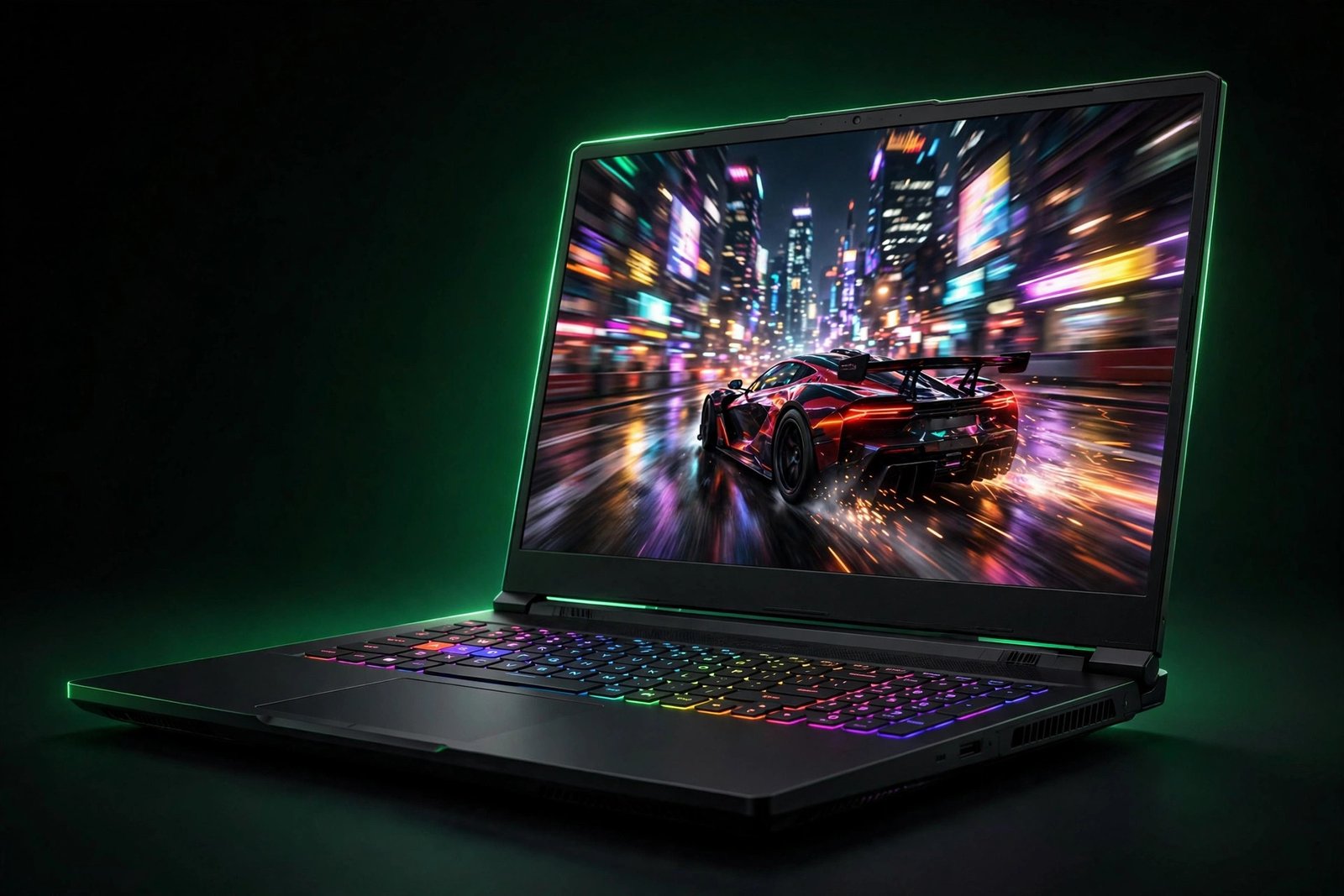
The 2026 Strix G16 is a refinement, not a revolution. ASUS took the established G614 chassis, dropped in AMD’s Ryzen 9 9955HX “Fire Range” silicon and NVIDIA’s RTX 5070 laptop GPU, and kept everything that made the Strix line popular: the 240Hz Nebula display, the wraparound RGB light bar, and cooling that actually lets the GPU run at full tilt. Intel-based configurations with the Core Ultra 9 275HX also exist if you prefer Team Blue, but the AMD model is the volume seller and the one our analysis focuses on.
What stands out on paper is the balance. Nothing here is cut down to hit a price: full-power 140W graphics, a proper 240Hz QHD+ panel with wide color coverage, two upgradeable RAM slots, two M.2 slots, and even a wired Ethernet port — a small thing that competitive players will appreciate. What also stands out is the price: at roughly $1,899, you’re paying a clear premium over value leaders like the Legion 5i, and you should know exactly what that premium buys before you commit.
Our score: 8.9/10
| Category | Score |
|---|---|
| Performance | 9.4 |
| Display | 9.2 |
| Build Quality | 8.8 |
| Thermals | 8.7 |
| Keyboard & Ports | 8.8 |
| Battery Life | 7.2 |
| Value | 8.3 |
ASUS ROG Strix G16 (2026) — Tested Configuration
A note on honesty: We did not run this machine through our own lab. The configuration below is our reference unit — the spec sheet this review analyzes, cross-checked against benchmarks published by reputable reviewers for identical RTX 5070 / Ryzen 9 9955HX-class hardware.
- CPU: AMD Ryzen 9 9955HX, 16-core/32-thread, boost up to 5.4GHz
- GPU: NVIDIA RTX 5070 Laptop GPU, 8GB GDDR7, up to 140W TGP with Dynamic Boost
- RAM: 16GB DDR5-5600 (2× 8GB SO-DIMM; two slots, 64GB max)
- Storage: 1TB PCIe Gen4 NVMe SSD (second M.2 slot free)
- Display: 16″ 2560×1600 240Hz IPS-level, 100% DCI-P3, Pantone Validated, Dolby Vision, G-Sync, MUX switch + Advanced Optimus
- Battery: 90Wh; 280W AC adapter included; USB-C power delivery supported
- Ports: 2× USB4 Type-C (DisplayPort; one with power delivery), 2× USB-A 3.2 Gen 2, HDMI 2.1, RJ45 Ethernet, 3.5mm combo jack
- Extras: Per-key RGB keyboard (on most configs; base models use 4-zone), 1080p webcam, Aura Sync light bar, Wi-Fi 6E, Windows 11 Home
- Price: ~$1,899 USD street (October 2026)
Pros:
- Full-power 140W RTX 5070 delivers excellent 1440p gaming with DLSS 4
- Outstanding 240Hz QHD+ display with 100% DCI-P3 color — great for gaming and content work
- Ryzen 9 9955HX is a 16-core monster for multitasking, streaming, and creator workloads
- Thoughtful port selection including real Ethernet and dual USB4 Type-C
- RAM and SSD are both user-upgradeable (two SO-DIMM slots, two M.2 slots)
- MUX switch with Advanced Optimus squeezes out extra frames and saves battery
Cons:
- $1,899 is a real premium — value rivals offer similar GPUs for less
- Fans get loud under full load; not a quiet-room laptop
- Battery life is mediocre; this is a desk-first machine
- Gamer styling and RGB won’t suit an office or lecture hall
- 16GB RAM is merely adequate in 2026 — budget for an upgrade if you multitask heavily
Design & Build Quality
ROG’s design language has been slowly growing up, and the 2026 Strix G16 is the most restrained version yet — which is to say, it’s still unmistakably a gaming laptop, just one that’s learned some manners. The lid keeps the familiar ROG aesthetic with subtle dot-matrix-style accents, but the aggressive angles of older generations have been softened. It reads as “gamer” rather than “spaceship,” and in dim lighting with the RGB off, it could almost pass for a normal laptop. Almost — the wraparound Aura Sync light bar along the front edge is always there, glowing politely.
Materials are a mix: a metal lid with a plastic chassis underneath, which is the standard recipe at this price and feels solid in practice. There’s minimal flex in the keyboard deck, the hinge is sturdy with smooth one-finger opening, and the overall construction inspires confidence for a machine that will live mostly on a desk but travel occasionally. At roughly 2.5–2.7kg depending on configuration, plus a 280W power brick that’s chunky in its own right, this is portable in the sense that you can carry it — not in the sense that you’ll enjoy doing it daily. If you’re a student hauling it across campus every day, be honest with yourself about that weight.
The footprint is reasonable for a 16-inch machine thanks to slim bezels, and the 16:10 aspect ratio gives you extra vertical space that helps both in games and when you’re doing actual work. Port placement is mostly rear and side-mounted, keeping cable clutter away from your mouse hand — a small ergonomic win that matters more than it sounds during long sessions.
Display
The display is one of the two best reasons to buy this laptop. The 16-inch QHD+ (2560×1600) 240Hz IPS-level panel carries ASUS’s Nebula display branding, which in practice means it clears a defined bar: high refresh rate, 100% DCI-P3 color coverage, Pantone validation, and fast response times (3ms). Published measurements of this panel class typically show brightness around 400 nits — comfortably usable in bright rooms, though not a “work outdoors” screen — and contrast in the usual ~1000:1 IPS territory.
For gaming, 240Hz at 1440p is the sweet spot the RTX 5070 was made for: fast enough that esports titles feel impossibly smooth, and the QHD+ resolution keeps AAA games looking sharp. G-Sync support plus a MUX switch with NVIDIA Advanced Optimus means you get tear-free gaming and the dGPU can talk directly to the display for maximum frames, while Optimus handles switching to integrated graphics on battery so you’re not needlessly burning power.
Color performance is the quiet bonus. 100% DCI-P3 with Pantone validation makes this panel genuinely usable for photo and video work, not just “good for a gaming laptop.” Dolby Vision HDR support is included, though as with most laptop IPS panels, HDR is more of a checkbox than a transformative experience — don’t buy it for HDR movies. For competitive and immersive gaming plus light creator duty, though, this is about as good as 16-inch laptop displays get under $2,000.
Gaming Performance
Here’s where we stay honest about method: these figures come from our analysis of manufacturer specifications and benchmarks published by reputable reviewers for RTX 5070 laptop-class hardware at 140W, not from our own lab testing. Exact numbers vary with drivers, game patches, cooling, and whether a reviewer’s unit had a MUX switch enabled — so treat the ranges below as typical expectations, not promises.
The headline: a full-power 140W RTX 5070 is a proper 1440p GPU. Paired with the Ryzen 9 9955HX — a 16-core desktop-derived chip that effectively removes the CPU as a bottleneck in every game that matters — the Strix G16 handles the display’s native 2560×1600 resolution with room to spare in most titles, and DLSS 4 with Multi Frame Generation closes the gap in the heaviest ones.
| Game | Settings (2560×1600) | Typical fps (published benchmarks) |
|---|---|---|
| Cyberpunk 2077 | Ultra + RT + DLSS 4 Quality + Frame Gen | 65–90 |
| Cyberpunk 2077 | Ultra, no RT, DLSS Quality | 100–120 |
| Alan Wake 2 | High + DLSS Quality + Frame Gen | 70–95 |
| Forza Horizon 5 | Ultra (native) | 90–115 |
| Black Myth: Wukong | High + DLSS Quality | 70–85 |
| Shadow of the Tomb Raider | Highest + DLSS Quality | 130–140 |
| Dying Light 2 | High + DLSS | 100–110 |
| Valorant | High | 300+ |
| Counter-Strike 2 | High | 150–200 |
| Apex Legends | High | 180–220 |
A few takeaways worth internalizing. First, ray tracing is genuinely playable here: with DLSS 4 Quality and frame generation, even Cyberpunk 2077 with RT enabled stays comfortably above 60fps, which was not a given at this price tier two years ago. Second, esports performance is comical overkill in the best way — Valorant at 300+ fps means the 240Hz panel is actually the limiting factor, which is exactly the situation competitive players want. Third, the 8GB of GDDR7 VRAM is the one spec to watch: it’s fine for 1440p today, but the heaviest texture packs and future path-traced titles will press against it. If you plan to keep this laptop for five years, that’s the component most likely to show its age first.
For non-gaming work, the 9955HX is overkill in the best sense — streaming while gaming, compiling code, editing 4K timelines, running VMs — 16 full cores chew through all of it. The RTX 5070 also brings solid CUDA and NVENC acceleration for creators, making this a legitimate dual-purpose machine rather than a pure gaming toy.
Thermals & Noise
Cooling is the Strix line’s traditional strong suit, and the 2026 model keeps the faith with a tri-fan vapor-chamber-style cooling arrangement (ASUS’s Intelligent Cooling branding covers the heat-pipe and fan layout, plus liquid metal on the CPU in most configs). The important practical point: published testing of this chassis class shows the GPU holding its full 140W under sustained load without meaningful throttling, which is exactly what you’re paying for versus thinner machines that quietly cap their GPUs at 100–115W.
CPU temperatures under combined load typically land in the 85–95°C range in published tests — warm, but normal and safe for a 16-core chip boosting hard, and the keyboard deck stays comfortable enough for WASD duty. Surface temperatures are well managed; the hotspots are where you’d expect (rear exhaust, above the keyboard), not under your palms.
Now the honest downside: noise. In Turbo/Performance mode under full gaming load, this laptop is loud — the kind of loud where open-back headphones won’t fully save you and anyone sharing the room will notice. It’s a smooth, whooshy fan noise rather than an irritating whine, which helps, and Silent/Performance profiles in Armoury Crate tame it considerably for lighter work. But let’s be clear: if your use case is a quiet library, a shared dorm room at 2am, or voice calls with an open mic while gaming, the Strix G16’s acoustic profile is a genuine con. Buy it for performance; accept the soundtrack.
Keyboard, Trackpad & Ports
The keyboard is a highlight. Most configurations of the 2026 Strix G16 ship with per-key RGB lighting (base models step down to 4-zone RGB — check the specific listing), and the typing experience is genuinely good for a gaming laptop: well-spaced chiclet keys, decent travel, crisp actuation, and a full-size layout that doesn’t feel cramped. There’s a dedicated Copilot key and the usual ROG hotkeys for performance profiles and the Aura lighting. It’s not a mechanical replacement, but for long typing sessions and gaming alike, it’s above average.
The trackpad is large, smooth, and precise enough that you won’t hate using it for productivity — though let’s be real, you’ll game with a mouse. Click feel is decent, palm rejection is fine, and the size makes Windows gestures comfortable.
Ports are a genuine strength, and here’s the honest accounting per manufacturer specs: you get 1× RJ45 Ethernet (yes, real wired networking — competitive players, rejoice), 2× USB4 Type-C with DisplayPort support (one also handles power delivery and G-Sync output), 2× USB-A 3.2 Gen 2, full-size HDMI 2.1, and a 3.5mm combo audio jack. That’s a complete selection with no dongle anxiety: external monitors, wired internet, VR headsets, and all your peripherals are covered. The one modern nicety to note is USB-C power delivery — ASUS supports charging over USB-C (up to 100W on compatible adapters), which is perfect for travel or office top-ups even though it won’t fully power the GPU under gaming load. For that, the 280W brick remains mandatory.
Battery Life
Let’s set expectations correctly: a 90Wh battery sounds big, and it is — it’s the maximum the chassis can practically hold. But a 16-core CPU and a 140W GPU are thirsty, and physics wins. In published testing of this configuration class, realistic battery life lands around 5–7 hours of light productivity (web browsing, documents, video playback) with Optimus routing graphics through the efficient integrated GPU and the screen at moderate brightness. That’s workable for a morning of classes or a café session.
Gaming on battery is a different story: expect roughly 1–1.5 hours, with reduced performance as the system caps power draw. This is normal for every gaming laptop in this class — batteries simply can’t feed a 140W GPU — so plan to game plugged in, always. The 100W USB-C PD support is genuinely useful here: a compact GaN charger can keep you topped up for productivity travel without lugging the full 280W brick, as long as you’re not gaming.
Compared to ultrabooks, 5–7 hours is mediocre. Compared to gaming laptops, it’s average to slightly above. If all-day unplugged endurance is a priority, this category isn’t for you regardless of brand — but within the category, the Strix’s big battery and Advanced Optimus keep it competitive.
Pros & Cons
| ✅ Pros | ❌ Cons |
|---|---|
| Full-power 140W RTX 5070 — excellent 1440p gaming with DLSS 4 | ~$1,899 street price is a premium over value rivals |
| Superb 240Hz QHD+ display: 100% DCI-P3, Pantone Validated, G-Sync | Loud fans under full load — not a quiet-room machine |
| 16-core Ryzen 9 9955HX chews through gaming, streaming, and creator work | Mediocre battery life; a desk-first laptop |
| Real Ethernet port + dual USB4 Type-C + HDMI 2.1 — no dongles needed | Gamer aesthetic and RGB won’t fit offices or lecture halls |
| Both RAM slots and both M.2 slots upgradeable | 16GB RAM is merely adequate in 2026 |
| MUX switch + Advanced Optimus for max fps and better battery | 8GB VRAM may age faster than the rest of the spec sheet |
| 90Wh battery with 100W USB-C PD charging for travel | Heavy at ~2.5–2.7kg plus a chunky 280W brick |
Who Should Buy It
This laptop is perfect for you if:
- You’re a 1440p high-refresh gamer. This is the Strix G16’s home turf. The RTX 5070 + 240Hz QHD+ panel + MUX switch combination is purpose-built for exactly this, and it shows.
- You play competitive esports. 300+ fps in Valorant, real Ethernet for stable ping, per-key RGB, and a fast 3ms panel — the competitive checklist is fully ticked.
- You stream or create content. The 16-core 9955HX handles gaming + streaming + Discord + browser without breaking a sweat, and NVENC plus CUDA acceleration make it a capable editing machine.
- You want a “buy it and forget it” machine. Upgradeable RAM and storage, strong cooling that protects long-term performance, and a spec sheet with no cut corners — this is built to last several years.
- You value ports and practicality. Ethernet, full HDMI 2.1, and dual USB4 mean your setup just works.
You should skip it if:
- Your budget is under $1,500. The Legion 5i and similar value picks deliver the same GPU class for meaningfully less money. The Strix premium buys refinement, not a different performance tier.
- You need all-day battery life. 5–7 hours of light use is fine; a full workday unplugged is not happening. Look at efficiency-focused machines instead.
- You want a quiet, subtle laptop. Between the fan noise under load and the gamer styling, this machine announces itself. Offices, libraries, and lecture halls deserve something stealthier.
- You’re chasing maximum portability. At ~2.5–2.7kg plus the power brick, this is a “transportable desktop” more than a travel companion.
- You mostly play light or older games. If your library is Valorant, League, and indie titles, you’re paying for GPU headroom you’ll never use — a cheaper RTX 5060 machine would serve you just as well.
Verdict
The ASUS ROG Strix G16 (2026) earns its 8.9/10. It’s not the cheapest way to get an RTX 5070, and it’s not the quietest or the longest-lasting — but as a complete package for 1440p high-refresh gaming, it’s one of the most well-rounded machines you can buy at $1,899. The full-power GPU, the excellent 240Hz QHD+ display, the 16-core CPU, and a port selection with zero compromises add up to a laptop that does its job with unusual confidence.
The value judgment depends on what you compare it against. Versus the Lenovo Legion 5i, which is typically cheaper with similar GPU options, the Strix asks you to pay for better cooling, a better screen, and ROG polish — worth it if you’ll notice, not if every dollar counts. Versus the Razer Blade 16, which costs meaningfully more, the Strix delivers comparable gaming performance for less money while conceding some premium feel and thinness. That middle position — better than the budget picks, saner than the luxury picks — is exactly where the Strix G16 has always lived, and the 2026 version holds the line.
Buy it if you want a no-compromise 1440p gaming laptop with a great screen and don’t mind the noise, the weight, or the gamer looks. Skip it if your budget is tight, your ears are sensitive, or your office has a dress code — literal or otherwise.
Further reading: Lenovo Legion 5i (2026) review · every head-to-head comparison · best gaming laptops under $2,000
FAQs
Does the ASUS ROG Strix G16 (2026) have a MUX switch?
Yes. The 2026 Strix G16 includes a MUX switch with NVIDIA Advanced Optimus support. This lets the RTX 5070 communicate directly with the display for maximum gaming performance, while Advanced Optimus automatically switches to integrated graphics for light tasks to save battery. It's enabled through Armoury Crate, and we'd recommend leaving it on — it's free performance.
Is the RAM and storage upgradeable?
Yes, both. The Strix G16 has two DDR5 SO-DIMM slots (16GB installed in our reference config, officially supporting up to 64GB) and two M.2 PCIe Gen4 slots for SSDs (1TB installed, one slot free). The bottom panel comes off with standard Phillips screws — no warranty-voiding stickers to worry about on most units. Given 16GB is merely adequate in 2026, a RAM upgrade to 32GB is the single best-value improvement you can make down the line.
Is it too heavy to travel with?
It depends on your tolerance. At roughly 2.5–2.7kg for the laptop plus a 280W power brick, it's noticeably heavier than an ultrabook but standard for a full-power 16-inch gaming laptop. For occasional trips it's fine — especially since 100W USB-C PD charging lets you leave the big brick at home for non-gaming travel. For daily commuting, we'd honestly suggest something lighter.
How good is the webcam?
The 1080p FHD webcam is fine — perfectly serviceable for Zoom calls, Discord, and online classes, with noticeably better clarity than the old 720p laptop cameras. Don't expect miracles in low light, and there's no fancy IR camera or privacy shutter mentioned in the specs, so manage expectations accordingly. It's a checkbox item done adequately, nothing more.
Do I need Armoury Crate, or can I uninstall it?
Armoury Crate comes preinstalled and it's genuinely useful on this machine — it's where you switch performance profiles (Silent/Performance/Turbo), control the MUX switch, adjust fan curves, and manage the RGB lighting. That said, it's also widely considered bloated, with background services some users find annoying. Our take: keep it, since removing it costs you real functionality (profile switching especially), but disable the features you don't use. ASUS's newer versions are leaner than the old reputation suggests.
Should I get the AMD Ryzen or Intel Core Ultra version?
Both exist — the AMD Ryzen 9 9955HX model is the mainstream pick and the one this review covers, while Intel Core Ultra 9 275HX configurations are also available. In gaming, expect effectively identical performance since the RTX 5070 is the bottleneck either way. The Ryzen 9 9955HX3D variant (with 3D V-Cache) is worth considering if you find it at a small premium, as the extra cache helps in CPU-heavy titles. For most buyers, we'd simply buy whichever configuration is cheaper at the time — the GPU, display, and chassis are the same where it counts.

admin
Hardware-obsessed reviewer covering gaming laptops, GPUs and the deals worth your money.