

Last updated: October 2026
Affiliate Disclosure: GamingLaptopHome is reader-supported. When you buy through links on this page, we may earn an affiliate commission at no extra cost to you. Read our full disclaimer.
Finding the best gaming laptop under 2000 dollars in 2026 is a strange kind of problem. It’s not a budget problem — two grand buys serious hardware. It’s a choice problem. At this price, every laptop looks impressive on paper, spec sheets blur together, and the differences that actually matter — GPU wattage, cooling headroom, display quality — are buried in footnotes most buyers never read.
Here’s the honest summary before we dive in: in late 2026, $2,000 puts you in RTX 5070 Ti and even RTX 5080 territory, paired with QHD+ high-refresh displays and flagship-tier CPUs. That’s enough for maxed-out 1440p gaming and genuinely good 4K with DLSS 4. But it’s also where diminishing returns kick in hard. The jump from a $1,500 laptop to a $2,000 one buys roughly 15–25% more performance — meaningful, but only worth it if you’ll actually use it.
This guide exists to make that decision easy. We’ve analyzed manufacturer specifications and performance data published by reputable independent reviewers to rank the seven laptops that genuinely deserve your money under $2,000 — and to call out the traps, like cut-down GPUs hiding behind flagship names.
New to laptop shopping? Start with our gaming laptop buying guide — GPUs, CPUs, RAM, displays and cooling explained in plain English.
🛒 Black Friday 2026: Waiting for a deal? See our Black Friday & Cyber Monday deals watchlist — the 10 laptops most likely to drop, with expected sale prices.
How We Picked These Laptops
A quick note on methodology, because it matters: we don’t operate a hardware lab with thermal cameras. Our rankings are based on our analysis of manufacturer specifications, chassis and thermal designs, and benchmark results published by reputable independent reviewers. We cross-checked GPU wattages (TGP), display panel specs, and cooling systems — the three things that separate a great $1,800 laptop from a mediocre one wearing the same GPU badge. Prices below are typical US street prices as of October 2026; they move with sales, so treat them as a guide, not gospel.
Quick Comparison: Best Gaming Laptops Under $2000
| Laptop | GPU | CPU | Display | RAM / SSD | Typical Price | Best For |
|---|---|---|---|---|---|---|
| Lenovo Legion 7i Gen 10 | RTX 5070 Ti 140W | Intel Core Ultra 9 275HX | 16″ QHD+ 240Hz | 32GB / 1TB | ~$1,899 | Best overall |
| ASUS ROG Strix G16 (2026) | RTX 5080 115W | Intel Core Ultra 9 275HX | 16″ QHD+ 240Hz | 16GB / 1TB | ~$1,999 | Raw performance |
| Acer Predator Helios Neo 16 | RTX 5070 Ti 140W | Intel Core Ultra 7 255HX | 16″ QHD+ 165Hz | 16GB / 1TB | ~$1,599 | Best value |
| HP Omen 16 (2026) | RTX 5070 140W | AMD Ryzen AI 9 365 | 16″ QHD+ 240Hz | 16GB / 1TB | ~$1,499 | Best all-rounder |
| MSI Stealth 16 AI+ | RTX 5070 115W | Intel Core Ultra 9 285 | 16″ QHD+ 240Hz | 32GB / 1TB | ~$1,799 | Thin & light |
| ASUS ROG Zephyrus G16 | RTX 5070 105W | AMD Ryzen AI 9 HX 370 | 16″ 2.5K OLED 240Hz | 16GB / 1TB | ~$1,899 | Best display |
| Lenovo Legion Pro 5i Gen 10 | RTX 5070 Ti 140W | Intel Core Ultra 9 275HX | 16″ QHD+ 240Hz | 16GB / 1TB | ~$1,699 | Competitive gaming |
What $2,000 Actually Gets You in 2026
Let’s calibrate expectations, because the “$2,000 laptop” means something specific in late 2026 — and it’s not “a desktop replacement that does everything.”
The GPU: RTX 5070 Ti is the sweet spot, RTX 5080 the ceiling. The laptop RTX 5070 Ti (12GB GDDR7) handles 1440p at high-to-ultra settings in modern AAA titles, typically well above 100fps before DLSS even enters the picture. The laptop RTX 5080 (16GB) stretches that lead another 10–15% and its extra VRAM gives it more headroom in texture-heavy games. But — and this is the single most important sentence in this guide — wattage matters more than the model number. A full-power 140W RTX 5070 Ti will beat a power-limited 100W RTX 5080 in sustained gaming. Every pick below lists the GPU’s TGP for exactly this reason. When you shop, look for it; if a listing hides it, treat that as a red flag.
The display: QHD+ high-refresh is standard. Expect 2560×1600 at 165–240Hz, usually IPS with good color coverage. OLED options exist (see the Zephyrus below), with perfect blacks and near-instant response — gorgeous, though usually at a cost in brightness and battery life.
The CPU: flagship HX silicon or Ryzen AI. Intel’s Core Ultra 200HX chips (like the 275HX) and AMD’s Ryzen AI 300 series and Ryzen 9 9955HX are all far beyond what games actually need. At this tier the CPU is about feeding the GPU and handling streaming, editing, and heavy multitasking without breaking a sweat.
The rest: 16–32GB of DDR5, 1TB Gen4 SSDs, and real cooling. Vapor chambers, tri-fan arrays, and liquid-metal thermal compounds are common here — thermal headroom is a big part of what you’re paying for versus $1,200 laptops. Build quality steps up too: more aluminum, less flex, better keyboards and speakers.
What it doesn’t get you: desktop-class performance (a laptop RTX 5080 lands roughly in desktop RTX 5070 territory — the laws of physics and ~175W power limits apply), silent operation under load (no gaming laptop is truly quiet when pushed), or great battery life while gaming (expect 90 minutes to two hours unplugged in demanding titles; six to eight hours of light work is realistic).
Top Picks: The 7 Best Gaming Laptops Under $2000
1. Lenovo Legion 7i Gen 10 — Best Overall
Typical price: ~$1,899
If you want one laptop that does everything right and nothing badly, this is it. The Legion 7i Gen 10 pairs a full-power 140W RTX 5070 Ti with Intel’s Core Ultra 9 275HX, and Lenovo’s Coldfront cooling keeps both fed without sounding like a jet preparing for takeoff. Based on our analysis of published benchmark data, this configuration trades blows with laptops costing $300 more.
The 16-inch QHD+ 240Hz panel is bright (around 500 nits in published measurements), color-accurate enough for content work, and G-Sync compatible. The keyboard remains one of the best in the business — deep travel, zero flex — and the aluminum chassis feels a class above mid-range plastic.
It’s not perfect. At 2.5kg plus a chunky 330W power brick, it’s “transportable” rather than portable. Battery life is the usual gaming-laptop compromise: fine for classes or office work on the integrated GPU, gone in under two hours of actual gaming.
Specs: RTX 5070 Ti 140W · Intel Core Ultra 9 275HX · 16″ QHD+ 240Hz IPS · 32GB DDR5 · 1TB Gen4 SSD · 2.5kg
Pros:
- Full-power GPU with excellent sustained performance
- Superb cooling-to-noise balance
- 32GB RAM and premium build at the price
- Great keyboard and bright, accurate display
Cons:
- Heavy, with a large power brick
- Weak battery life while gaming
- Webcam is merely average
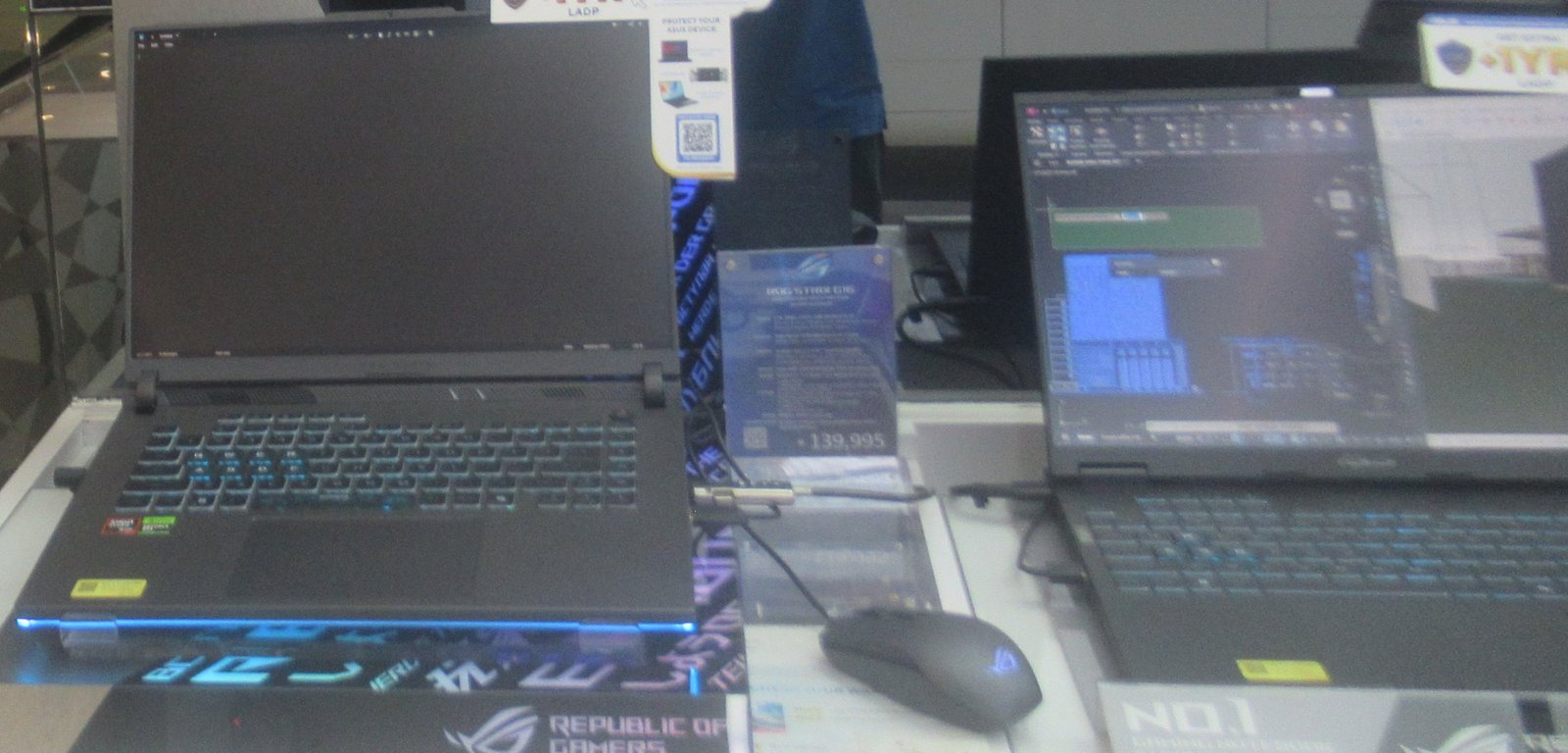
2. ASUS ROG Strix G16 (2026) — Best Raw Performance
Typical price: ~$1,999
This is the fastest gaming laptop you can buy without crossing $2,000 — barely. ASUS squeezed an RTX 5080 into the Strix G16 at this price by pairing it with a 115W power limit and 16GB of RAM instead of 32GB. In short benchmark bursts it leads this entire list; in long sessions, the full-power 5070 Ti machines close the gap, which tells you everything about why wattage matters.
The tri-fan cooling system is genuinely effective, and the Nebula QHD+ 240Hz display is one of the best IPS panels you’ll find anywhere. ROG’s software suite is mature, and per-key RGB plus the wraparound light bar give it unapologetic gaming flair.
The trade-offs are noise and battery. Under full load the fans are loud — headphones-loud, not roommate-friendly. And like all Strix models, the chassis is plastic: perfectly rigid, but it doesn’t feel like $2,000 in the hand.
Specs: RTX 5080 115W · Intel Core Ultra 9 275HX · 16″ QHD+ 240Hz · 16GB DDR5 · 1TB Gen4 SSD · 2.7kg
Pros:
- Fastest GPU available under $2,000
- 16GB VRAM for texture-heavy games and creative work
- Excellent display and effective cooling
Cons:
- Power-limited GPU narrows its lead in long sessions
- Loud under load
- Only 16GB RAM at this price; plastic build
→ Read our in-depth ASUS ROG Strix G16 (2026) review
3. Acer Predator Helios Neo 16 — Best Value
Typical price: ~$1,599
The Helios Neo 16 is the price/performance disruptor of this list: a full 140W RTX 5070 Ti for $300 less than the Legion 7i. In raw frames per dollar, nothing under $2,000 touches it. Acer’s AeroBlade cooling keeps temperatures in check, and the 165Hz QHD+ panel is perfectly good for gaming, if not class-leading.
So where did the $300 go? The display tops out around 400 nits with merely decent color accuracy, the chassis is chunkier and plainer than its rivals, and Acer’s preinstalled software needs a cleanup pass on day one. The speakers are forgettable.
But here’s the thing: none of that affects your framerate. If your priority is maximum gaming performance per dollar and you can live with a workmanlike screen and design, this is the smartest buy on this page.
Specs: RTX 5070 Ti 140W · Intel Core Ultra 7 255HX · 16″ QHD+ 165Hz · 16GB DDR5 · 1TB Gen4 SSD · 2.8kg
Pros:
- Cheapest full-power RTX 5070 Ti available
- Strong cooling performance
- Great keyboard for the price
Cons:
- Dimmer, less color-accurate display
- Bulky design; noticeable bloatware
- Weak speakers
4. HP Omen 16 (2026) — Best All-Rounder
Typical price: ~$1,499
The Omen 16 is the laptop I’d recommend to someone who wants a premium gaming machine that doesn’t scream “gamer” in a meeting. The 2026 redesign pairs a 140W RTX 5070 with AMD’s Ryzen AI 9 365 — an efficient combination that runs cool and sips power on battery, stretching light-use battery life beyond the Intel HX machines here.
Performance sits a half-step behind the 5070 Ti models (expect roughly 15% fewer frames at 1440p), but the QHD+ 240Hz display is excellent and the understated aluminum design genuinely looks professional. Thermals are well managed, and HP’s Omen Gaming Hub has matured into genuinely useful software rather than bloat.
Compromises: the RTX 5070’s 8GB of VRAM is the spec most likely to age first — fine for 2026, potentially limiting by 2028 at maxed settings. The speakers are thin, and reaching the internals for upgrades requires removing the whole bottom panel.
Specs: RTX 5070 140W · AMD Ryzen AI 9 365 · 16″ QHD+ 240Hz · 16GB DDR5 · 1TB Gen4 SSD · 2.4kg
Pros:
- Understated, professional design
- Efficient AMD platform; better battery life
- Excellent display and good thermals
Cons:
- 8GB VRAM may limit future-proofing
- A performance tier below the 5070 Ti picks
- Fiddly upgrade access
5. MSI Stealth 16 AI+ — Best Thin and Light
Typical price: ~$1,799
The Stealth 16 AI+ answers a specific question: what if you want 90% of a desktop replacement’s performance in a chassis under 2kg? At under 20mm thin with a magnesium-aluminum body, it’s the only laptop here you’d happily carry every day — and the RTX 5070 plus Core Ultra 9 285 still deliver strong 1440p gaming.
MSI’s Cooler Boost system does heroic work, but physics is physics: in a chassis this thin, the GPU runs at 115W and surface temperatures get warm under sustained loads. You’re trading roughly 10% performance versus the full-power 5070 machines for portability. For students, commuters, and anyone who games at a desk but works everywhere, that’s a trade worth making.
It also ships with 32GB of RAM — a rarity that makes it genuinely good for creative work — and the per-key RGB keyboard is excellent.
Specs: RTX 5070 115W · Intel Core Ultra 9 285 · 16″ QHD+ 240Hz · 32GB DDR5 · 1TB Gen4 SSD · 1.99kg
Pros:
- Genuinely portable at under 2kg
- Premium magnesium build; 32GB RAM included
- Strong all-around performer for work and play
Cons:
- Runs warm; power-limited GPU
- Expensive per frame versus thicker rivals
- Fan noise noticeable in quiet rooms
6. ASUS ROG Zephyrus G16 (2026) — Best Display
Typical price: ~$1,899
If display quality is your religion, stop here. The Zephyrus G16’s 2.5K OLED panel at 240Hz is simply the best screen on this list — perfect blacks, near-instant response, and color that makes IPS panels look washed out. Paired with the RTX 5070 and Ryzen AI 9 HX 370, it’s a dream machine for cinematic single-player games and creative work.
The OLED tax is real, though: the GPU runs at 105W in this slim chassis, so it trails the thicker 5070 machines by a noticeable margin in sustained loads. Battery life is shorter than you’d hope, because that gorgeous panel drinks power. And note that memory is soldered — the 16GB configuration you buy is the one you’re stuck with, so choose carefully at checkout.
Still, for the gamer who values visual fidelity over maximum framerates — and who’ll spend as much time in creative apps as in games — nothing else under $2,000 looks this good.
Specs: RTX 5070 105W · AMD Ryzen AI 9 HX 370 · 16″ 2.5K OLED 240Hz · 16GB LPDDR5X (soldered) · 1TB Gen4 SSD · 1.85kg
Pros:
- Best-in-class OLED display
- Slim, premium, genuinely portable design
- Great speakers and efficient AMD platform
Cons:
- Power-limited GPU; soldered, non-upgradeable RAM
- OLED brightness and battery trade-offs
- Premium price for mid-tier GPU power
7. Lenovo Legion Pro 5i Gen 10 — Best for Competitive Gamers
Typical price: ~$1,699
The Legion Pro 5i is the esports pick: a full-power 140W RTX 5070 Ti and Core Ultra 9 275HX driving a 240Hz QHD+ panel, for $200 less than the Legion 7i. In competitive titles, it posts some of the highest framerates on this page — the combination of high-wattage GPU and fast display is exactly what high-refresh gaming wants.
What you give up versus the 7i is refinement: the chassis is plainer, the display slightly dimmer, and RAM starts at 16GB (upgradeable via SODIMM slots, at least). None of that matters at 240fps in Valorant or Apex Legends.
If your library is mostly competitive shooters and you want maximum frames per dollar with a screen fast enough to show them, this is your laptop.
Specs: RTX 5070 Ti 140W · Intel Core Ultra 9 275HX · 16″ QHD+ 240Hz · 16GB DDR5 (upgradeable) · 1TB Gen4 SSD · 2.5kg
Pros:
- Full-power 5070 Ti at a competitive price
- 240Hz display ideal for esports
- Upgradeable RAM; strong thermals
Cons:
- Plain design; dimmer panel than the 7i
- 16GB RAM base (though upgradeable)
- Heavy for daily carrying
Is It Worth Stretching to $2,000?
Honest answer: it depends entirely on what you’re upgrading from and what you play.
Stretch if: you’re coming from anything older than an RTX 3060 laptop, you play at 1440p or higher, you do GPU-heavy creative work (Blender, DaVinci Resolve, local AI image generation), or you keep laptops for four to five years and want DLSS 4 frame generation plus 12–16GB of VRAM to carry you there. The 5070 Ti’s extra VRAM over the 5070 is the most future-proofing $300 in this market.
Don’t stretch if: you mainly play competitive esports titles (a $1,200 RTX 5060 laptop already pushes 240fps+ in Valorant and CS2), you game at 1080p, or the extra money means skimping on things you’ll touch every day — a good monitor, mouse, or chair. A $1,500 laptop plus $500 of peripherals beats a $2,000 laptop with a $20 mouse.
The uncomfortable truth: the $1,400–$1,600 tier (RTX 5070, QHD+) is the value sweet spot of 2026. The $2,000 tier buys roughly 15–25% more performance for about 30% more money. That’s a fair trade if you’ll use it — just make it a conscious one.
Further reading: gaming laptop buying guide · ASUS ROG Strix G16 (2026) review · every head-to-head comparison
Frequently Asked Questions
Is an RTX 5080 laptop worth it over an RTX 5070 Ti?
Only at the right wattage and price. A full-power 140W RTX 5070 Ti typically matches or beats a power-limited (~100–115W) RTX 5080 in sustained gaming while costing less. The 5080's real advantages are its 16GB of VRAM (versus 12GB) and a ~10–15% lead when both run at full power. If the 5080 laptop costs more than $200 extra over a comparable 5070 Ti model, the Ti is the smarter buy.
How much VRAM do I need in a 2026 gaming laptop?
For 1080p and 1440p gaming through 2026–2027, 8GB remains workable but is increasingly the minimum — expect to lower texture settings in the heaviest titles. 12GB (RTX 5070 Ti) is the comfortable choice for 1440p ultra settings. 16GB (RTX 5080) is ideal if you mod games heavily, do 3D rendering, or want maximum longevity. Below $2,000, prioritize 12GB or more if you can.
Can a gaming laptop under $2000 handle 4K gaming?
Yes, with caveats. With DLSS 4 upscaling and frame generation, an RTX 5070 Ti or 5080 laptop can deliver smooth 4K in most AAA titles — but you'll lean on upscaling rather than native 4K, and the very heaviest games will need settings compromises. Note that these laptops' built-in displays are QHD+, not 4K; 4K gaming here means connecting an external monitor.
Intel or AMD for a premium gaming laptop in 2026?
For pure gaming at this tier, it's nearly a tie — the GPU decides framerates. Intel's Core Ultra 200HX chips lead slightly in raw multi-core throughput for streaming and heavy multitasking; AMD's Ryzen AI 300 series is more power-efficient, which means cooler operation and better battery life. Pick the platform attached to the better overall laptop rather than obsessing over the badge.
Should I wait for RTX 60-series laptops?
There is no confirmed launch date for RTX 60-series laptop GPUs, and new generations typically debut at higher prices with limited availability. If you need a laptop now, buy now — DLSS 4 and current performance are excellent, and waiting on rumors is how you end up gaming on a five-year-old machine for another year. Buy when you need it; there is always something new coming.
Do I really need 32GB of RAM?
For gaming alone in 2026, 16GB is still enough. 32GB earns its keep if you stream while gaming, edit video, run virtual machines, or keep dozens of browser tabs open next to your game. Two picks on this list include 32GB as standard; on the others, check whether the RAM is upgradeable (SODIMM slots) before assuming you can add more later.
Final Verdict
The Lenovo Legion 7i Gen 10 is the best gaming laptop under $2,000 for most buyers: full-power RTX 5070 Ti graphics, excellent cooling, 32GB of RAM, and a superb display at ~$1,899. It has no significant weakness.
On a tighter budget within this tier, the Acer Predator Helios Neo 16 delivers the same full-power 5070 Ti for ~$1,599 — the value champion. And if you simply want the fastest silicon under two grand, the ASUS ROG Strix G16 with its RTX 5080 takes the crown, wattage caveats and all.
Whichever you choose, remember the lesson of this price bracket: check the GPU wattage before you check the price. Two laptops wearing the same GPU name can perform 20% apart.

admin
Hardware-obsessed reviewer covering gaming laptops, GPUs and the deals worth your money.