

_Affiliate Disclosure: GamingLaptopHome is reader-supported. When you buy through links on this page, we may earn an affiliate commission at no extra cost to you._
Last updated: October 2026
If you’re shopping for a gaming laptop in 2026, you’ve probably discovered the paradox of choice: every manufacturer offers a dozen configurations, and every configuration claims to be the best value. A proper gaming laptop comparison cuts through that noise. Instead of listing specs in a vacuum, it pits two real options against each other — same price point, same use case — and explains what the numbers actually mean for the games you’ll play.
This page is our comparison hub. It brings together every head-to-head battle we’re covering this year: laptop GPUs, brand model showdowns, CPU platforms, and budget tiers. Each section below gives you the short verdict and the reasoning behind it, with links to the full deep-dive articles. Think of it as the map; the full comparisons are the terrain.
GPU deep-dive: not sure which graphics tier to pay for? Read RTX 5060 vs RTX 5070 — which should you buy?.
🛒 Black Friday 2026: Waiting for a deal? See our Black Friday & Cyber Monday deals watchlist — the 10 laptops most likely to drop, with expected sale prices.
Every Key Matchup at a Glance
| Matchup | Category | One-Line Verdict |
|---|---|---|
| RTX 5060 vs RTX 5070 laptops | GPU | The 5070 earns its premium at 1440p; the 5060 rules 1080p value |
| Lenovo Legion 5i vs ASUS ROG Strix G16 | Premium mid-range | Legion 5i wins on build and cooling; Strix G16 wins on value per frame |
| Acer Nitro V 16 vs Lenovo LOQ 15 | Budget | LOQ 15 is the safer pick for longevity; Nitro V 16 is the spec-sheet bargain |
| Intel Core Ultra 200HX vs AMD Ryzen AI 300 | CPU platform | AMD for battery life and efficiency; Intel for raw plugged-in throughput |
| $1,000 tier vs $1,500 tier | Budget tiers | The extra $500 buys a full GPU tier jump plus a better display and chassis |
How to Read Our Comparisons
Every gaming laptop comparison on GamingLaptopHome follows the same honest methodology, and it’s worth knowing what that means before you trust a verdict.
First, we compare specs side by side from official manufacturer listings — GPU TGP (total graphics power), display specs, memory configuration, port selection, battery capacity. Second, we weigh published benchmark results from reputable reviewers and our analysis of aggregate performance data, because a spec sheet never tells you how a laptop actually behaves under load. A GPU with a high wattage in a thin chassis may throttle; a slower chip with good cooling can win in practice.
What we don’t do is hype. We don’t have a lab full of every laptop on the market, and we won’t pretend otherwise. All performance claims here are framed the way they should be: based on our analysis of manufacturer specs and benchmarks published by reputable reviewers. When we say “published benchmark results typically show,” that’s exactly what we mean — a pattern across multiple independent sources, not a single cherry-picked number.
We also score each matchup on the things that matter after the purchase: thermals and fan noise, keyboard quality, display quality beyond refresh rate, warranty and support reputation, and upgradeability. A gaming laptop is a three-to-five-year commitment. The winner of a comparison isn’t always the fastest machine — it’s the one you’d still be happy with in year three.
GPU Comparisons
RTX 5060 vs RTX 5070 Laptops
This is the single most common gaming laptop comparison in 2026, and for good reason: these two GPUs sit at the center of the mainstream market. RTX 5060 laptops typically sell for around $1,100–$1,400, while RTX 5070 machines land around $1,400–$1,800. That’s a meaningful gap, and whether it’s worth crossing depends on how and where you game.
On paper, the RTX 5070 offers roughly 15–25% more raw performance than the RTX 5060, and both support DLSS 4 with multi-frame generation, which is the great equalizer in 2026. At 1080p, published benchmark results typically show the gap narrowing to the point of irrelevance once DLSS Quality mode is enabled — both cards push well past 120 fps in modern AAA titles, and your eyes won’t be able to tell the $300 difference. At 1440p, though, the story changes: the RTX 5070’s extra memory bandwidth and CUDA cores give it a real, visible edge, especially in titles with heavy ray tracing.
TGP matters enormously here. A 115W RTX 5070 in a well-cooled chassis will consistently outperform a neutered 65W version of itself. When comparing two laptops, always check the GPU wattage — it’s the single most overlooked spec in any gaming laptop comparison.
| RTX 5060 laptops | RTX 5070 laptops | |
|---|---|---|
| Typical price | $1,100–$1,400 | $1,400–$1,800 |
| Best resolution | 1080p | 1440p |
| Who it’s for | Competitive shooters, esports, budget AAA | 1440p AAA, ray tracing, future-proofing |
| Verdict | The smart-money pick at 1080p | Worth it if you game at 1440p |
Read the full comparison → RTX 5060 vs RTX 5070 laptops
Brand Model Showdowns
Lenovo Legion 5i (2026) vs ASUS ROG Strix G16 (2026)
This is the heavyweight fight of the premium mid-range: Lenovo’s polished all-rounder against ASUS’s aggressive value play. Both ship with RTX 5060 and 5070 configurations, Intel Core Ultra 200HX or AMD options depending on the SKU, and high-refresh 16-inch displays.
Lenovo Legion 5i (2026)
- GPU options: RTX 5060 / RTX 5070 (up to ~140W TGP)
- CPU: Intel Core Ultra 200HX series
- Display: 16″ QHD 240Hz typical
- Memory: 16–32GB DDR5, dual SSD slots
Pros:
- Excellent cooling — published reviews consistently report lower noise under load than most rivals
- Premium-feeling chassis with a no-nonsense keyboard
- Strong warranty and support reputation, plus easy upgrade access
Cons:
- Usually $100–$200 more than the Strix G16 in equivalent configuration
- Slightly heavier, and the design is understated if you want flair
Read the full review → Lenovo Legion 5i 2026 review
ASUS ROG Strix G16 (2026)
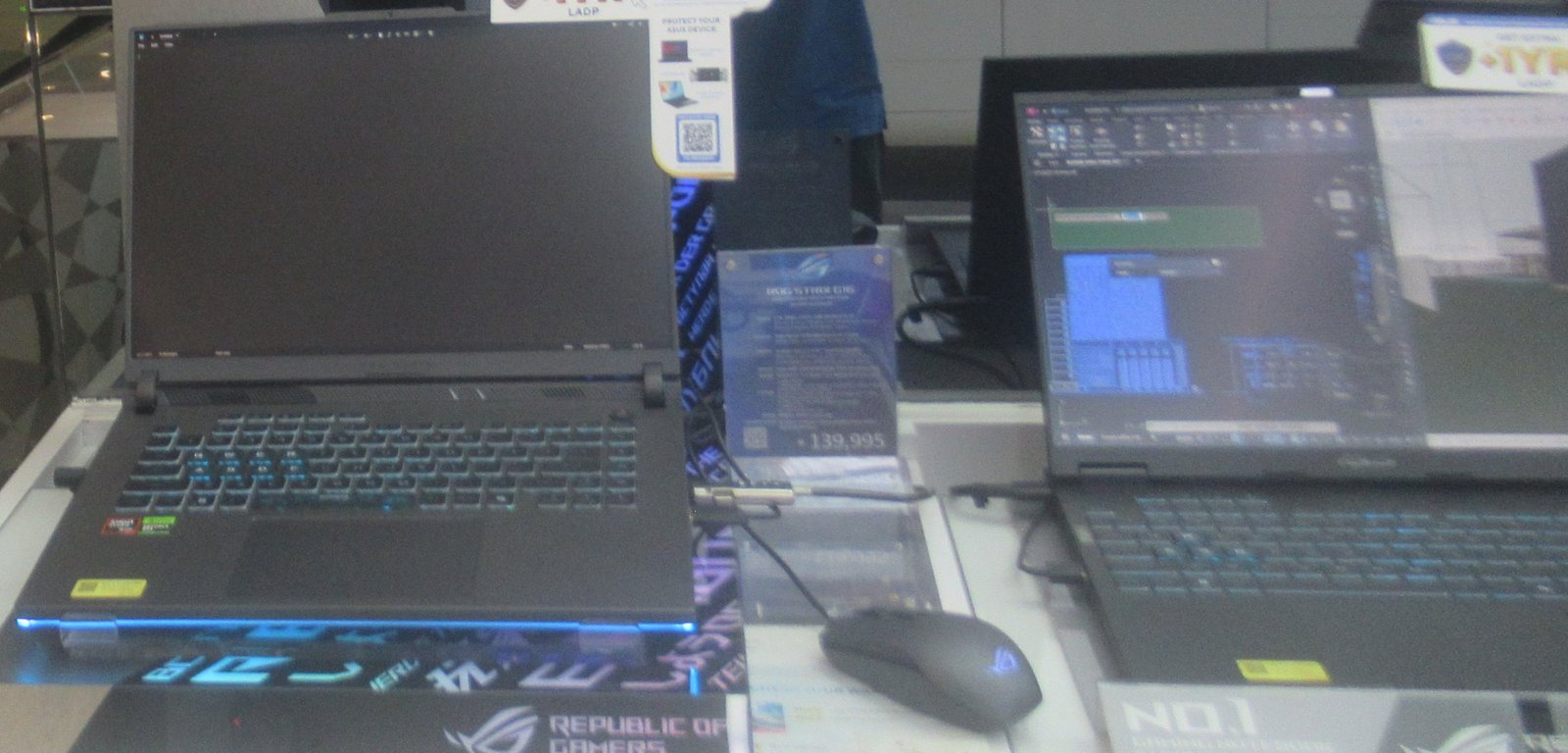
- GPU options: RTX 5060 / RTX 5070 (up to ~140W TGP)
- CPU: Intel Core Ultra 200HX or AMD Ryzen 9 9955HX options
- Display: 16″ QHD 240Hz typical
- Memory: 16–32GB DDR5
Pros:
- Often the cheapest way into an RTX 5070 with a full-wattage TGP
- Aggressive styling with per-key RGB and strong gaming-first software
- AMD CPU options add efficiency and battery-life flexibility
Cons:
- Fans get loud under full load — reviewers report it runs noisier than the Legion
- Build quality is good but a step behind Lenovo’s fit and finish
Read the full review → ASUS ROG Strix G16 2026 review
Mini verdict: If you want the best overall ownership experience and can stretch the budget, the Legion 5i is the safer pick. If you want maximum frames per dollar and don’t mind a louder fan curve, the Strix G16 takes it.
Acer Nitro V 16 (2026) vs Lenovo LOQ 15 (2026)
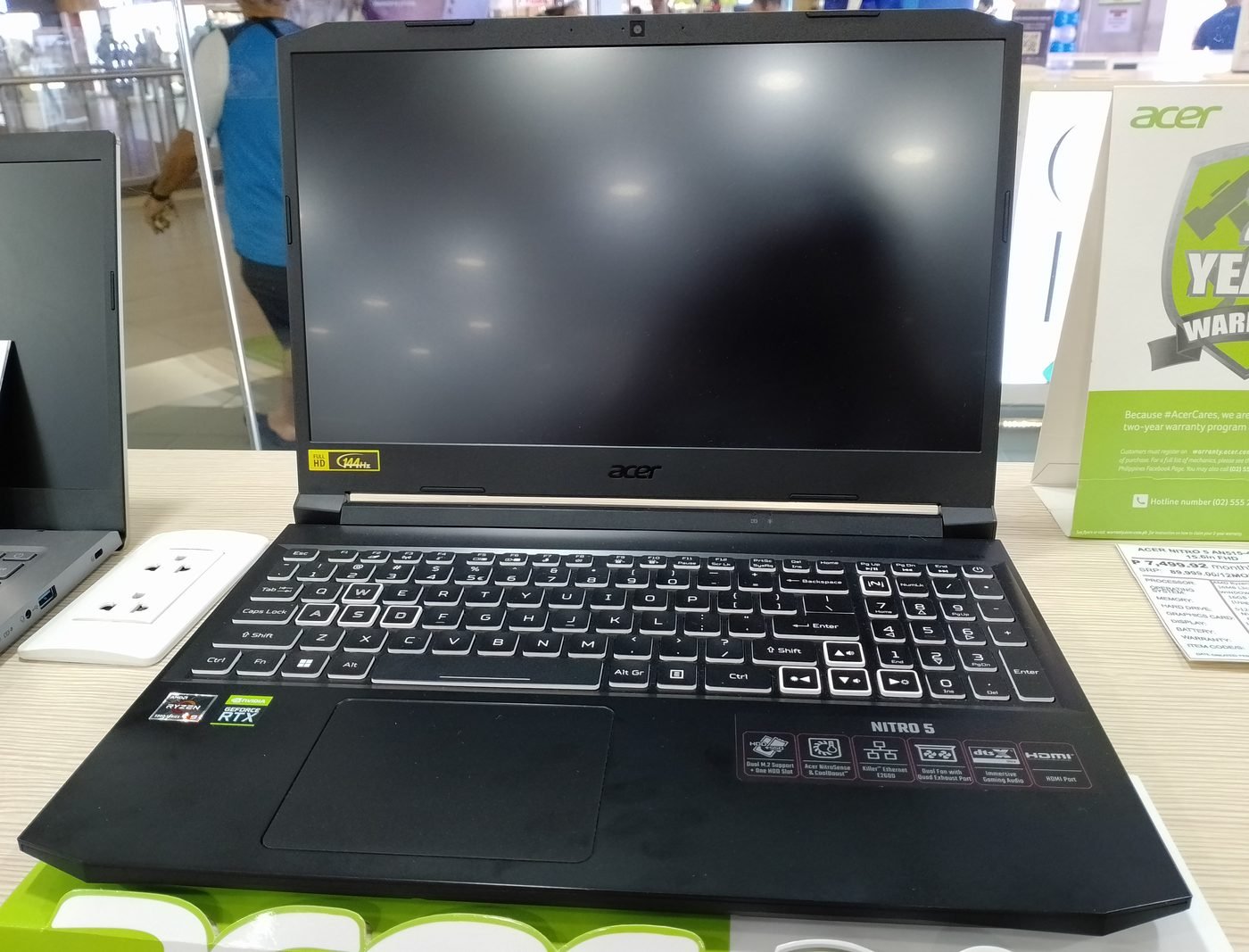
Down in the budget arena, this is the fight that matters. The Acer Nitro V 16 and Lenovo LOQ 15 are the two laptops most buyers cross-shop under $1,100, and they represent two different philosophies: the Nitro chases spec-sheet wins, while the LOQ bets on build quality and brand polish.
Acer Nitro V 16 (2026)
- GPU options: RTX 5050 / RTX 5060
- CPU: Intel Core Ultra 200 series or AMD Ryzen AI 300 options
- Display: 16″ FHD+ 165Hz typical
- Memory: 16GB DDR5
Pros:
- Frequently the lowest price for a given GPU tier — real bargains appear during sales
- 16-inch screen gives more workspace than the 15.6-inch rival
- Decent port selection for the price
Cons:
- Chassis feels plasticky; hinge and lid quality draw the most complaints
- Display brightness and color coverage lag behind the LOQ
Lenovo LOQ 15 (2026)
- GPU options: RTX 5050 / RTX 5060
- CPU: Intel Core Ultra 200 series or AMD Ryzen AI 300 options
- Display: 15.6″ FHD 144Hz typical
- Memory: 16GB DDR5, good upgrade access
Pros:
- Noticeably better build quality and keyboard than most budget rivals
- Lenovo’s support network is a real advantage at this price
- Runs relatively cool and quiet for a budget machine
Cons:
- Often $50–$100 more than the Nitro V 16 for equivalent specs
- Smaller screen and less impressive sale pricing
See how it stacks up in our best gaming laptops under $1000 roundup
Mini verdict: At identical prices, the LOQ 15 is the pick for a machine you’ll keep for years. But if the Nitro V 16 is sitting $100+ cheaper — as it often is — that’s hard to argue with for a student or first-time buyer.
CPU Platform Face-Off: Intel Core Ultra 200HX vs AMD Ryzen AI 300 / Ryzen 9 9955HX
Every gaming laptop comparison eventually comes down to the CPU platform, and 2026’s battle lines are clear. Intel’s Core Ultra 200HX lineup is the raw-power option: high core counts, high boost clocks, and the best plugged-in performance in most gaming and productivity workloads. If your laptop lives on a desk connected to a monitor, Intel’s HX chips are very hard to beat on pure throughput.
AMD’s Ryzen AI 300 series and the gaming-focused Ryzen 9 9955HX counter with efficiency. Published benchmark results typically show AMD closing much of the gaming gap at 1080p and 1440p — gaming is mostly GPU-bound anyway — while delivering dramatically better battery life. Reviewers report Ryzen AI 300 laptops routinely lasting 8–10 hours in light use versus 5–7 for comparable Intel HX machines, and running cooler and quieter in thin-and-light designs.
The iGPU story matters too. AMD’s integrated graphics remain the best in the business, which means a Ryzen AI 300 laptop without a discrete GPU is still a capable casual gaming machine, and hybrid graphics switching is smoother. Intel has closed the gap with its Arc-based iGPUs, but AMD still leads.
So which do you pick? Our rule of thumb: choose Intel Core Ultra 200HX if the laptop will spend most of its life plugged in and you want maximum performance per dollar. Choose AMD Ryzen AI 300 if you care about battery life, thermals, and unplugged versatility. For pure gaming, either will keep your GPU fed in 2026 — the CPU is rarely the bottleneck in a balanced configuration.
Budget Tier Battles: $1,000 vs $1,500 — What Does the Extra $500 Buy?
The jump from a $1,000 gaming laptop to a $1,500 one is the most consequential price step in 2026. It’s not a 50% better machine — but it’s a genuinely different class of machine. Here’s what the extra $500 typically buys:
| What changes | ~$1,000 tier | ~$1,500 tier |
|---|---|---|
| GPU | RTX 5050 / low-TGP RTX 5060 | Full-TGP RTX 5060 / RTX 5070 |
| Display | 1080p 144Hz, basic color | 1440p 165–240Hz, better color and brightness |
| Build | Plastic chassis, flex in lid | Metal lid or full metal, tighter tolerances |
| Memory/storage | 16GB / 512GB | 16–32GB / 1TB |
| Thermals | Adequate, louder fans | Better cooling, quieter under load |
The GPU step-up is the headline: moving from an RTX 5050 to a full-wattage RTX 5060 or even an RTX 5070 is the single biggest performance jump you can buy. But the display upgrade is the sleeper value — going from a dim 1080p panel to a bright 1440p screen changes every game and every work session, and you can’t upgrade a display later.
Our honest take: if $1,000 is your hard ceiling, the budget tier is still excellent in 2026 — an RTX 5050 laptop with DLSS 4 plays modern games well at 1080p. But if you can stretch to $1,500, the value per dollar is arguably higher. The $1,500 machine stays relevant a year or two longer, and the quality-of-life upgrades (display, build, cooling) are things you notice every single day. If you’re torn, read our budget tier guide section again and be honest about how long you plan to keep the laptop.
Further reading: RTX 5060 vs RTX 5070 · Lenovo Legion 5i (2026) review · ASUS ROG Strix G16 (2026) review
FAQs
Is an RTX 5060 laptop enough for 2026 games?
Yes, for 1080p gaming it's the sweet spot. Based on our analysis of manufacturer specs and published benchmark results, an RTX 5060 laptop with DLSS 4 handles modern AAA titles at 1080p high settings well above 100 fps in most cases. It only starts to struggle if you push 1440p with heavy ray tracing — that's RTX 5070 territory.
Lenovo Legion vs ASUS ROG — which brand is more reliable?
Both are top-tier brands, but they play different games. Reviewers report Lenovo edges ahead on build consistency, cooling noise, and support experience, while ASUS typically wins on raw value — more GPU for the money. In our Legion 5i vs ROG Strix G16 gaming laptop comparison, neither is a bad buy; the choice comes down to whether you prioritize polish or price-to-performance.
Should I buy Intel or AMD in a gaming laptop?
For a laptop that stays plugged in, Intel Core Ultra 200HX offers the highest raw throughput. For battery life, cooler operation, and a stronger iGPU, AMD's Ryzen AI 300 is the better platform. In pure gaming at 1080p or 1440p, published benchmarks show the difference is small because the GPU does the heavy lifting — so choose based on how you'll actually use the machine.
Is it worth spending $1,500 instead of $1,000 on a gaming laptop?
If you can afford it, usually yes. The extra $500 typically buys a full GPU tier jump (RTX 5050 → 5060/5070), a much better display, and a sturdier chassis. Those upgrades extend the laptop's useful life by a year or more, which makes the $1,500 tier better value per year of ownership for most buyers.
Do I need 32GB of RAM in a 2026 gaming laptop?
For pure gaming, 16GB is still enough in 2026 — no current title genuinely requires 32GB. But if you stream, edit video, run virtual machines, or keep dozens of browser tabs open alongside games, 32GB is cheap future-proofing. Look for a laptop with two SO-DIMM slots so you can upgrade later instead of paying the factory premium.
When is the best time to buy a gaming laptop?
Historically, the deepest discounts land during Black Friday, back-to-school season (July–August), and when new GPU generations launch and retailers clear old stock. That said, if you need a laptop now, buy when a model you're watching drops 15–20% below its launch price — waiting months to save another $50 is rarely worth it.
Final Verdict
So which gaming laptop comparison matters most? It depends entirely on who you are.
For the 1080p gamer on a budget: the RTX 5060 vs 5070 question barely matters — save your money, grab a well-cooled RTX 5060 machine like the Lenovo LOQ 15, and put the savings toward games. The $1,000 tier is genuinely good in 2026.
For the 1440p enthusiast: the GPU comparison is everything. Stretch to an RTX 5070, and choose between the Legion 5i’s refinement and the Strix G16’s value based on your tolerance for fan noise and your budget.
For the student or commuter: the CPU platform face-off is your most important read. An AMD Ryzen AI 300 laptop will give you a full day of battery life that an Intel HX machine simply can’t match, and the gaming difference is smaller than the spec sheets suggest.
For the “buy once, cry once” buyer: the $1,500 tier wins. A full-TGP RTX 5060 or 5070 with a good 1440p display is the configuration most likely to still feel fast in 2029.
Whichever battle you’re fighting, the rule is the same: compare real configurations at real prices, check the GPU TGP, and read the full deep-dives linked above before you buy. And when you’re ready to pull the trigger, start here:

admin
Hardware-obsessed reviewer covering gaming laptops, GPUs and the deals worth your money.